Business process automation explained simply and with examples
Business process automation (BPA) is part of process automation and means automating recurring work steps in a company with software. The aim is to carry out standardized processes in future without manual intervention by employees.

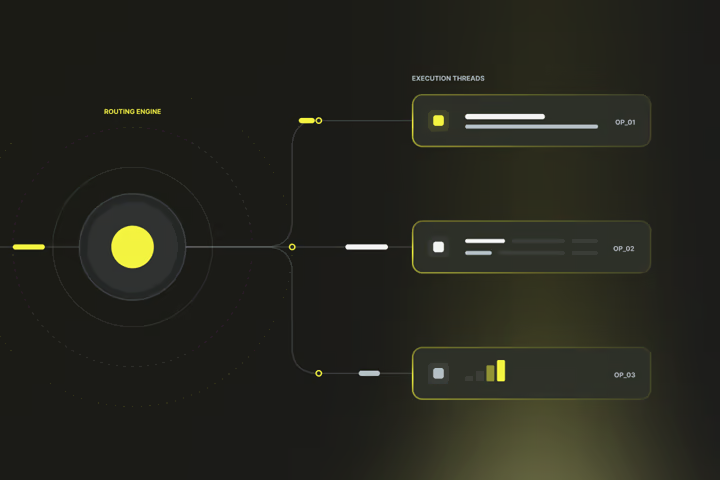
Business process automation: The most important things in brief
- Business Process Automation (BPA) refers to the use of software to carry out work steps automatically and without manual intervention.
- Processes are suitable that are repetitive, follow fixed rules and use structured data, such as approvals, data transfers, or notifications.
- Commonly used approaches for business process automation include task automation, workflow automation, robotic process automation (RPA) and intelligent process automation.
- Automation makes processes uniform, comprehensible and less prone to errors, particularly in accounting, human resources and order processing.
- HubSpot is a platform to automatically control marketing, sales and service processes and connect them with other systems.
What types of business process automation are there?
Business process automation can be divided into various approaches. They differ in how extensively a process is mapped and which technology is used. The most important forms include task automation, workflow automation, robotic process automation and intelligent process automation.
- Task automation: Individual work steps are automated, each of which can be clearly described, such as automatically sending a confirmation email, storing a file or updating a database entry.
- Workflow automation: Several tasks are combined to form a process that follows certain rules. A typical example is the approval of an order: the system checks the information, forwards it to the responsible person and documents the result in ERP (Enterprise Resource Planning).
- Robotic Process Automation (RPA): Bots take over recurring inputs into existing applications. They read data, enter information, or transfer values between systems, especially where there are no interfaces.
- Intelligent business process automation: Automation is combined with methods of data analysis and pattern recognition. For example, the system can recognise, assign and check invoices without the need for separate rules for each document.
These forms can be used individually or in combination. In many companies, automation initiatives start with simple tasks and are gradually expanded to include more complex processes.
What are the benefits of business process automation?
Process automation improves the quality and stability of your processes. It ensures that tasks are carried out evenly, completely and without delay.
- Consistent execution: An automated process runs the same way every time. As a result, the overall incidence of errors is reduced and test steps no longer have to be checked manually.
- Traceability: Each process is logged in the system. This makes internal checks on these processes easier and you can verify them more easily.
- Faster processes: Processes can be processed in parallel. This reduces processing times without the need for additional resources.
- Uniform data basis: Data remains in sync in all systems and is prevented from being created twice.
- Relief for employees: When routine tasks are completed automatically, there is more time for technical decisions, customer contact or analysis work.
How do I carry out business process automation?
You carry out process automation by first selecting suitable processes, describing them in detail, defining a suitable tool and implementing and verifying the automated process step by step.
1. Identify suitable processes
Start with a full overview of your work processes. Record every step, from incoming data to outputting the result. Note down:
- who performs the task,
- which system is being used,
- which information is entered, checked, or passed on.
A process is suitable for automation when
- it is common,
- the sequence of steps has been determined,
- decisions are based on clear rules, and
- all required data is available digitally or can be digitally recorded.
Processes that depend on individual assessment or require unstructured communication are less suitable.
2. Document the current state of the process
Evaluate each recorded process based on three points:
- Volume: How often does the process occur?
- Effort: How many work steps or people are involved?
- Susceptibility to errors: How often are there corrections or inquiries?
Combine these values into a simple ranking. High-volume processes, clear decision logic, and recurring work steps are the best way to get started.
Create a short description of the most important processes with inputs, outputs and the desired result. This will later be the basis for technical implementation.
3. Define goal and scope
Determine what the automated process should do. Define which steps take place digitally and where continued human control remains necessary. Set your goals, for example:
- “Orders should be automatically forwarded to the responsible purchasing department.”
- “Invoices should be compared with the associated orders before they are approved.”
Also define the expected results: for example, faster turnaround times, complete logging, or lower error rates.
4. Select tool/software
Choose a system that fits your existing software and supports the integrations you need.
- Workflow or low-code platforms (e.g. Power Automate, Make, n8n) are suitable if you want to connect multiple systems.
- RPA tools, such as UiPath or Automation Anywhere, are useful when older applications don’t have interfaces.
- Process platforms such as Camunda or Temporal offer additional control and documentation for complex processes.
Check whether the system provides APIs for your applications, cleanly manages user rights, and logs changes.
5. Model and test the process
Create a simple flow chart before you implement it. Describe:
- which event starts the process,
- which conditions are checked,
- which actions will follow.
Then implement the process in the chosen platform and use test data. Check
- whether each condition is triggered correctly,
- whether data is transferred in full,
- and whether error messages are unambiguous.
Define who gets notified when an error occurs. Document all test results so that you can make adjustments later on more easily.
6. Introduction and operation
Start with a limited scope, for example in a department.
Observe the initial runs and check:
- whether the process is stable,
- whether data is transferred twice or incompletely,
- and whether the expected notifications are received.
Set up a simple monitoring or dashboard to see the status of ongoing processes. Only when the process works reliably can it be transferred to the entire area of application.
7. Monitoring and adjustment
Review your automated processes regularly. Systems and data change over time. Schedule monthly or quarterly checks to ensure that all steps are still valid.
Document every adjustment and record when and why it was made.
When you introduce new software, immediately check whether existing automations are affected.
.png)
Which software is suitable for business process automation?
For process automation, systems are suitable that control recurring processes and exchange data reliably between applications. These include CRM software such as HubSpot with integrated workflows for contacts, deals and service tickets, ERP systems with automation modules, cloud platforms such as Make or Power Automate for cross-app processes, RPA tools such as UiPath for manual work steps, and process platforms such as Camunda or Appian for complex end-to-end processes.
1. Workflow automation in CRM and marketing platforms
These systems provide built-in automation functions for sales, marketing, and service processes. They are particularly suitable if you want to automate processes within an existing system without introducing additional software.
- HubSpot: Workflows for contacts, deals, and tickets. Supports API connections, webhooks, and integrations via Operations Hub.
- Zoho CRM: Rule-based automations, task scheduling, email triggers, integration with Zoho Desk and Finance.
- Pipedrive: Automations for pipeline steps, automated task assignment, and easy API integration.
Typical application: Notifications, lead assignment, follow-up reminders, status changes in customer activity.
Tip: Not sure whether HubSpot is suitable as a CRM for your automations? Here you can find out more about HubSpot Workflows or book your non-binding consultation, in which we check together whether HubSpot is suitable for your automation needs.
2. Cloud platforms for cross-system automation
Software of this type connects multiple applications and services. They are suitable if your processes are distributed across different systems and you want to centrally control data flows.
- Make: Visual interface, over 1,500 app integrations, custom logic modules (conditions, loops).
- Microsoft Power Automate: Deep integration with Office 365, Dynamics and Teams, suitable for companies with a Microsoft environment.
- Zapier: Large selection of apps, easy to set up, particularly suitable for marketing and support automation.
- n8n: Open-source alternative with self-hosting option and API connection.
Typical application: Data transfers between CRM, ERP and cloud tools, automatic document generation, status comparisons between systems.
3. RPA tools for desktop and legacy systems
RPA (Robotic Process Automation) replaces manual user interface inputs. These tools are suitable when older applications have no interfaces or manual work steps need to be automated.
- UiPath: Leading platform with recorder function, process analysis and central management.
- Automation Anywhere: Comprehensive bot management and cloud operation; integration with ERP and banking systems.
- Blue Prism: For highly regulated environments with a focus on security and governance.
Typical application: Data transfer from emails or Excel, automatic form filling, export and upload between legacy systems.
4. Process platforms for continuous end-to-end automation
These systems represent complete business processes, including states, rules and logging. They are suitable for larger companies with a stable IT architecture.
- Camunda Platform 8: BPMN (Business Process Model and Notation) engine with graphical modelling, API-first approach, and long-lasting process tracking.
- Temporal: Technical process engine for long-lasting workflows with restart function.
- Appian/Pega: Low-code platforms focused on business logic, forms, and governance.
Typical application: Approval processes with several stages, internal service processes, compliance-relevant processes with documentation requirements.
5. ERP and business systems with built-in automation modules
Many ERP systems already include automation functions. These are useful when most processes take place in ERP and external interfaces are limited or not available at all.
- SAP Build Process Automation: Combination of workflow engine, RPA, and document recognition.
- Odoo: Open business suite with customisable workflows and automated actions across all modules.
- Oracle NetSuite: Event-driven automation for accounting, purchasing, and ordering.
Typical application: Approvals in purchasing, invoice processing, booking processes, data synchronisation between modules.
6. Open-source and self-hosted solutions
For companies with well-developed technical resources, self-hosted systems offer more control over data and infrastructure.
- n8n (self-hosted): Full data sovereignty, flexible customisation via JavaScript.
- Node-RED: Open-source tool from IBM, often used for IoT and integration tasks.
- Camunda Community Edition: Free version for self-use.
Typical application: Automations with data protection requirements, internal integration projects, specific corporate workflows.
Which processes can be automated in HubSpot?
HubSpot allows you to control operational processes in your company using so-called workflows and automation functions. Among other things, you can automate lead and contact processes and simplify working with data sets.
- Automatic lead allocation: When a contact fills out a form or meets certain criteria, HubSpot automatically assigns them to the appropriate sales representative. New leads are processed without delay and are not lost.
- Email and follow-up automation: After enquiries or downloads, HubSpot automatically sends appropriate emails or reminders.
- Automatic task creation: HubSpot creates tasks when a deal reaches a certain status or a ticket is open for a long time. Responsible persons are actively reminded and no process is left unattended.
- Two-way sync: Using the Operations Hub, HubSpot synchronises data with ERP, accounting, or support systems.
- Automated data cleansing: HubSpot can standardise spellings, remove duplicates, or automatically format fields.
If you want to build or expand your automations in HubSpot, you can start with a certified partner. This ensures that your workflow automations run safely and stably from the start.
Axisbits is an official HubSpot Solution Provider for Switzerland. We plan, develop and integrate your automations so that they fit your existing processes and run stably over the long term.
- Setting up and optimising workflows for marketing, sales and service
- Integrating external applications via HubSpot Operations Hub or API
- Data migration, testing, and ongoing support
- Training and technical support for your team
We at Axisbits have been working with HubSpot ourselves for years and are now an official HubSpot partner for Switzerland. Want your team to get started quickly with HubSpot? Then get in touch with us!
{{fs-btn-cta}}
Wir schaffen leistungsstarke Plattformen und Websites für Startups, Scale-Ups und KMUs, von Konzept bis Go-Live.
We are a partner and official HubSpot Solution Provider, set up your HubSpot setup and get your team up and running quickly!
Business Process Automation — Common Questions and Answers
digitization describes that an analog process is represented electronically. Business process automation ensures that this digital process is carried out independently and based on rules, without manual intervention.
Processes that are repetitive, follow clear rules and use structured data are suitable. If a process often runs the same way and human decisions are based only on fixed criteria, automation is worthwhile.
It does not replace qualified tasks, but relieves routine work. Employees can focus more on decisions, advice and quality assurance.
Axisbits supports companies from analysis to technical implementation, in particular when automating in HubSpot and integrating existing systems. This creates an overall system that fits your real processes and works in the long term.
More articles
Business Process Management (BPM) is the structured control of business processes through modeling, automation, measurement and optimization. The EU rules DORA and NIS2 reach Swiss companies too, by way of their supply chains.
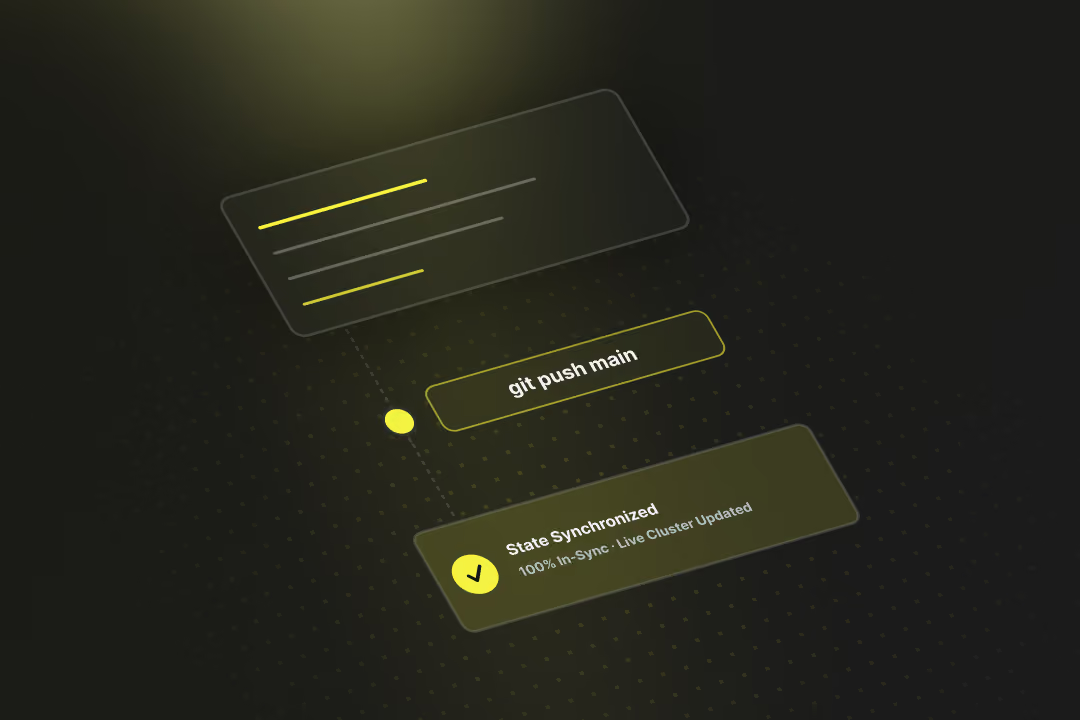
Software deployment is the process that moves finished code out of the development environment and into live production. GitOps, Progressive Delivery and DevSecOps make releases faster and safer. At the same time, the revDSG and even EU regulations reach into Swiss pipelines.
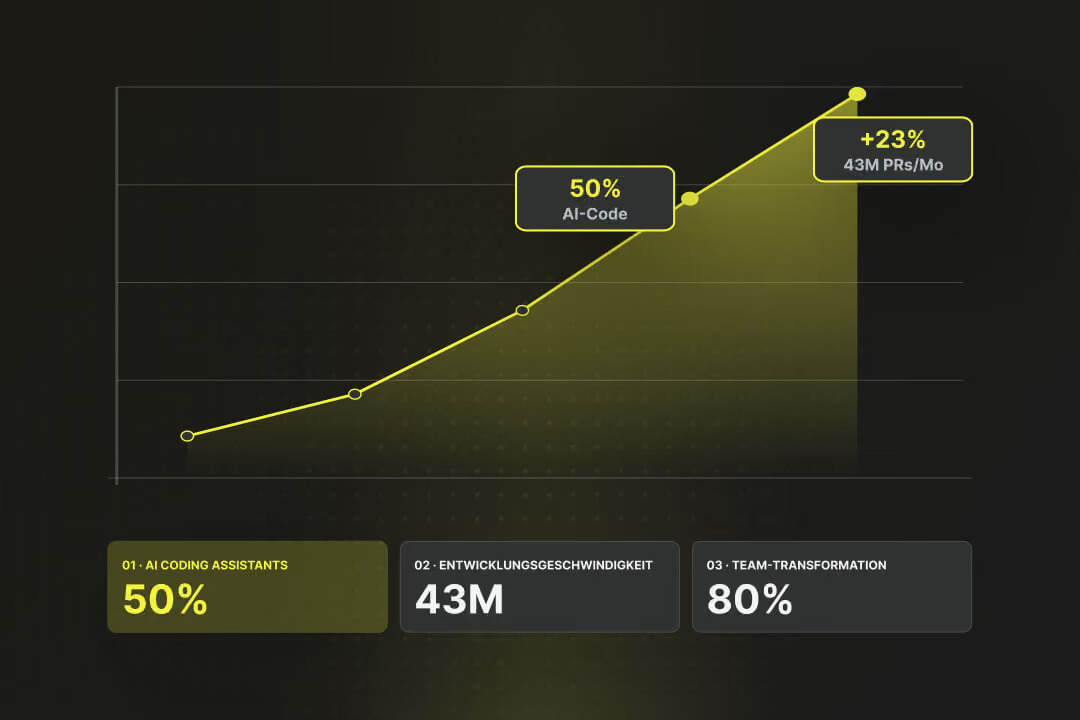
By the end of 2025, almost half of all code on GitHub was generated using AI tools, according to EY Switzerland. Each month, 43 million pull requests were merged, a 23% year-over-year increase (Source: EY Switzerland). Gartner predicts that by 2030, AI-native development platforms will lead to 80% of organizations transforming large developer teams into smaller, AI-augmented units (Source: Gartner). Software development is changing faster than ever before. We highlight the trends that truly matter in 2026, what's driving them, and what this specifically means for businesses.