How email marketing automations work: basics and tools
Automated emails have been proven to increase the conversion rate and, at the same time, reduce manual effort in marketing. According to DemandSage, over 71% of marketers are actively using email automation in their campaigns, and automated workflows generate around 37% of total email revenue.


Email marketing automations: The most important things in brief
- Automated emails are sent through defined triggers such as sign-ups, purchases, or inactivity.
- Typical email marketing automations are welcome series, emails following shopping cart abandonments, reactivations, and post-purchase emails.
- HubSpot, Klaviyo, Brevo, ActiveCampaign, and Mailchimp are among the most used tools. HubSpot integrates automation directly into CRM.
- For legally compliant sending of marketing emails, an opt-in obligation, unsubscribe link and the requirements of revDSG (CH) or GDPR (EU) apply.
What is the basis for email marketing automation?
Email marketing automation uses defined triggers such as form submissions, purchases, page views, or time intervals to automatically send relevant messages. The basis is structured customer data such as behaviour, segment membership or interaction history.
In contrast to conventional newsletters, delivery is completely rule-based via workflows. As a result, emails are automatically delivered at the right time and with appropriate content.
Systems such as HubSpot, Brevo or ActiveCampaign combine contact information, event data and workflow logic to efficiently control communication chains and make them consistently measurable.
Which email marketing automations are most effective?
The most effective automations are welcome series, shopping cart abandonment messages, reactivation campaigns and post-purchase emails, as they are directly linked to measurable events in user behaviour.
Email automation works particularly well when the trigger is clearly defined and the recipient’s intent is clearly recognisable. The most used and effective workflows include:
- Welcome series: Is triggered after sign-up and provides basic information, initial offers or information on further content. Opening rates are above 60% on average.
- Shopping cart abandonment: Sends a reminder and, optionally, a discount code after a certain period of time; according to statistics, can recover up to 10% of lost revenue.
- Reactivation campaign: Identifies inactive recipients and tries to reactivate them through targeted incentives. Success rate: 20% on average.
- Post-purchase email: Follows an order, contains additional information, product recommendations or review links, and measurably increases cross-selling and upselling sales.
- Birthday or anniversary email: Uses set dates as triggers and creates high interaction rates through personalised context.
.avif)
How do you set up an email marketing automation?
First, set the goal of this email marketing action, check the recipient data, and set the trigger. You can then create the content of the emails, test and activate them.
- Define goal: Determine which action should be automated, such as welcome email, shopping cart abandonment, or reactivation. Formulate a measurable goal such as “10% more purchases after shopping cart abandonment.”
- Check recipient data: Make sure that contacts have valid consents (double opt-in) and that the relevant data fields are available, such as name, email, last purchase, or registration date.
- Set triggers: Select the event that triggers email delivery. Examples: form completed, product purchased, inactive for 30 days.
- Define conditions and times: Decide when and to whom the email is sent. Example: “Send 24 hours after cart abandonment if no purchase has been made.”
- Create email content: Create a template with a clear subject line, relevant content, and a working call-to-action. Only use personalisations when the data is reliable.
- Perform a test: First, send the automation to yourself or a test segment. Check the subject line, links, placeholders, and tracking.
- Activate and observe: Start the automation and monitor metrics such as click-through rate, conversion, and unsubscribes. Adjust triggers or content if the values differ from the goal.
Which tools are suitable for email automation?
Suitable tools differ primarily in their range of functions, integrations and costs. HubSpot, Mailchimp, Klaviyo, Brevo and ActiveCampaign are among the most used software. Your choice depends on:
- Integration with CRM or shop system: this is the only way to automatically use customer and behavioural data.
- Workflow logic: the tool should be able to map multiple triggers, conditions, and actions in a single process.
- Reporting and tracking: clicks, conversions, and unsubscribes must be measurable.
- Data protection: GDPR and revDSG compliant opt-in management, unsubscribe links, and data deletion.
- Costs: automations are usually billed according to the number of contacts or email volume.
How do email automations work in HubSpot?
HubSpot combines email delivery, CRM data and automation logic in one interface. Every email can be automated at a contact, company, or deal level. The basis is so-called workflows, in which triggers, conditions and actions are defined.
HubSpot email automation workflows and triggers
Workflows start automatically as soon as a specific event occurs, such as a form submission, a property change, or a purchase. Conditions allow you to control who receives which email. Several emails can be linked into series, for example for onboarding or follow-up actions.
Data and segmentation
HubSpot accesses CRM data directly. This allows recipients to be segmented by contact data, behaviour, lifecycle status, or user-defined fields. Changes to this data can in turn serve as triggers.
Delivery time and optimisation
With the Send-Time Optimisation (STO) feature, HubSpot determines the best individual sending time for each contact. Alternatively, sending can be controlled by time zones.
Double opt-in and compliance in HubSpot
The HubSpot system supports multi-stage double opt-in processes and manages consents via so-called subscription types. This makes it possible to document and manage GDPR and revDSG compliant opt-ins.
E-Commerce integration
Standard integrations with Shopify and WooCommerce can be used to automate emails following shopping cart abandonments, post-purchase emails and product suggestions. Purchase data and transactions are available directly in the workflow.
Transactional emails in HubSpot
For notifications such as invoices or password resets, HubSpot offers a separate transactional email API. These emails are sent via a dedicated IP address and are independent of the marketing opt-in.
Email automation analytics and reporting in HubSpot
HubSpot provides detailed reports on clicks, conversions, and revenue contributions. In Customer Journey Analytics, you can understand which automations make the biggest contribution to conversion.
We at Axisbits have been working with HubSpot ourselves for years and are now an official HubSpot partner for Switzerland. Want to set up email automation and achieve more conversions? Then get in touch with us!
{{fs-btn-cta}}
What are the legal requirements for email automation in Switzerland?
In Switzerland, the Unfair Competition Act (UWG) and the revised Data Protection Act (revDSG) regulate the requirements for email marketing. As soon as data from customers from the EU is processed, the GDPR also applies. In principle, all require prior consent from the recipient and an easy option to unsubscribe.
Unsolicited electronic advertising is permitted under certain conditions under both Swiss and EU law.
Legal requirements in Switzerland
According to Art. 3 para. 1 lit. o UWG, sending mass emails without consent is considered unfair. An exception applies if there is already a customer relationship, the message concerns the sender’s own similar products or services, and a free unsubscribe option is available.
Since September 2023, the revised Data Protection Act (revDSG) has required companies to make the handling of personal data transparent. In particular, this includes:
- Proof of valid consent (opt-in, ideally double opt-in)
- Purpose limitation of data processing
- Duty to provide information about data collection and use
- Possibility to withdraw consent and delete data
European Union legal requirements
The General Data Protection Regulation (GDPR) requires clear, verifiable consent for any form of electronic direct marketing.
- Consent must be voluntary, specific and documented.
- Recipients must be able to unsubscribe at any time.
- The sender must be clearly identifiable.
- Data may only be used for the specified purpose.
Implementation of legal requirements in the email tool
Systems such as HubSpot or Brevo store opt-ins and manage them via so-called subscription types or contact lists with consent status. This makes it possible to understand when and via which channel consent was given.
The double opt-in process remains the recommended method to securely meet both Swiss and EU requirements.
Mandatory information in every email
Each message sent must include:
- the full sender (company, address, contact details)
- a working unsubscribe link that can be reached without login or additional steps
- optional: reference to privacy policy or imprint
These requirements apply regardless of the tool used. Compliance is a prerequisite for legally compliant email automation.
Wir schaffen leistungsstarke Plattformen und Websites für Startups, Scale-Ups und KMUs, von Konzept bis Go-Live.
We are a partner and official HubSpot Solution Provider and implement your automations in HubSpot!
Email Marketing Automation — Common Questions and Answers
Yes, provided that there is consent or an existing customer relationship exists and every message contains an option to unsubscribe (UWG Art. 3 para. 1 lit. o).
A newsletter is sent manually to an entire list. An automated email is triggered by a specific event or rule.
Most tools automatically detect overlaps and prevent duplicate triggers, provided they are set accordingly in the workflow.
Only as long as they are needed for the original purpose, then they must be deleted or anonymized (RevDSG/GDPR).
Many systems, including HubSpot, allow you to compare subject lines, delivery times, or email content directly in the workflow.
More articles
Business Process Management (BPM) is the structured control of business processes through modeling, automation, measurement and optimization. The EU rules DORA and NIS2 reach Swiss companies too, by way of their supply chains.
Software deployment is the process that moves finished code out of the development environment and into live production. GitOps, Progressive Delivery and DevSecOps make releases faster and safer. At the same time, the revDSG and even EU regulations reach into Swiss pipelines.
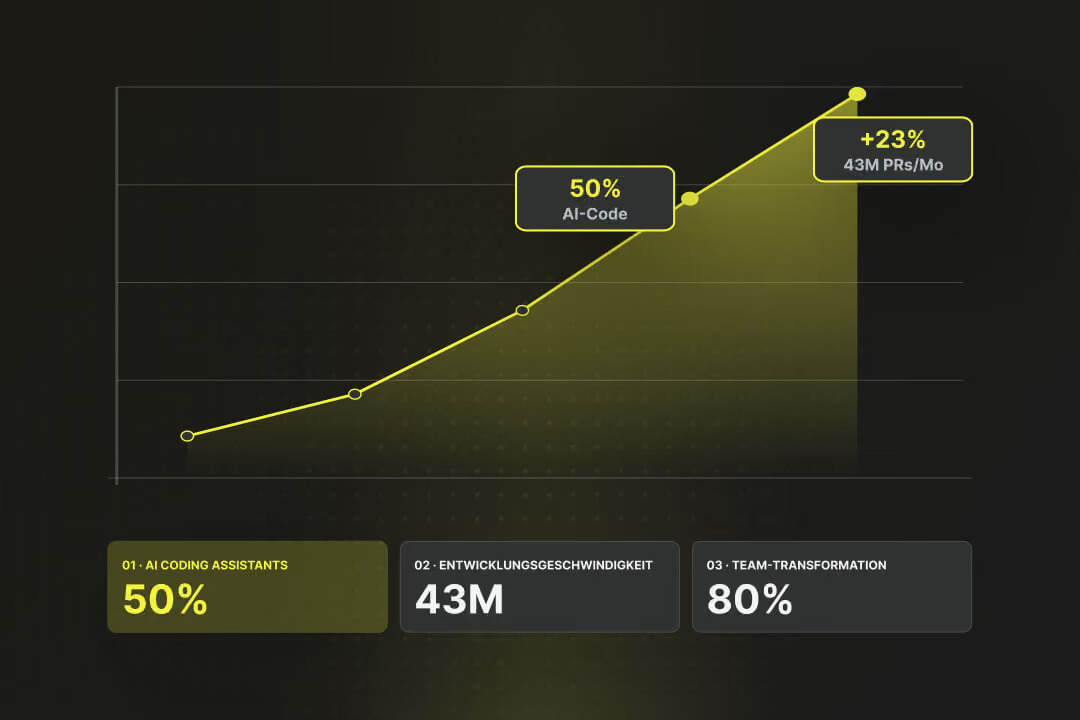
By the end of 2025, almost half of all code on GitHub was generated using AI tools, according to EY Switzerland. Each month, 43 million pull requests were merged, a 23% year-over-year increase (Source: EY Switzerland). Gartner predicts that by 2030, AI-native development platforms will lead to 80% of organizations transforming large developer teams into smaller, AI-augmented units (Source: Gartner). Software development is changing faster than ever before. We highlight the trends that truly matter in 2026, what's driving them, and what this specifically means for businesses.