Reduce the workload of your employees step by step with process automation
Process automation means that recurring work steps are carried out automatically using software. It is used wherever processes are rule-based and often repeated, such as in HR, finance or customer service.

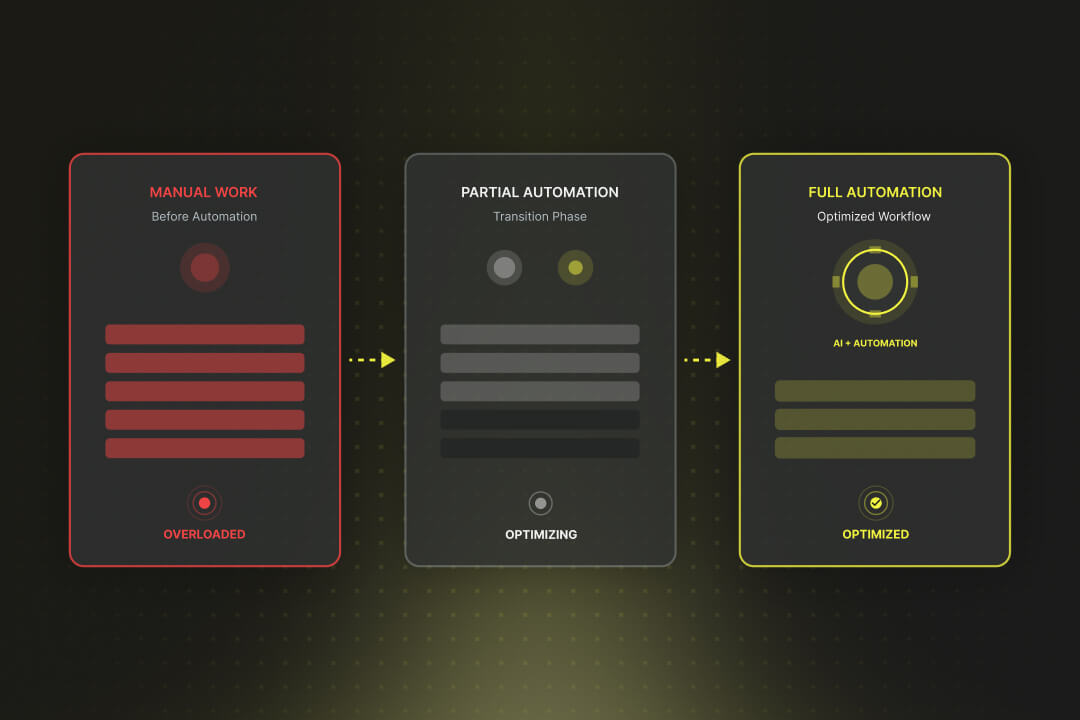
The most important thing about process automation in a nutshell:
- Process automation automatically carries out recurring, rule-based processes via software, such as data entries, document checks and invoice approvals.
- Process automation is different from process digitization: Only digitized processes can be carried out automatically without manual intervention.
- Process automation is primarily used in human resources, finance, customer service and administration, for example for applications, expenses, ticket routing and archiving.
- The technological foundations include RPA (software robots for click and input tasks), BPA (automation of entire end-to-end processes) and IPA (automation with AI for unstructured data and decisions).
What is process automation?
Process automation refers to the use of software to automatically execute recurring, rule-based processes. Typical examples include reading out invoice data, forwarding applications or approving expenses.
The difference with Process digitization is important: In digitization, processes are first brought into digital form, and during automation, these digital processes are then carried out without manual intervention.
In addition to classic process automation, intelligent process automation (Intelligent Process Automation, IPA) has become established. It combines automation with artificial intelligence and also makes it possible to process more complex tasks, for example through text recognition or self-learning analyses.
What is process automation for?
Process automation relieves a company's team of routine tasks, because they no longer have to be done manually. Invoices, applications or orders run automatically through defined steps and are processed without delay.
Errors that can occur during manual entries are reduced. All data is automatically and uniformly collected, passed on and checked.
Where can process automation be used?
Process automation can be used wherever processes are repeated frequently and follow fixed rules. Typical examples include personnel processes such as applications, financial processes such as invoice approvals, and service and administrative tasks.
- Human Resources Department (HR): In HR, applications are automatically recorded, forwarded to the right place and provided with standard answers. Vacation applications can also be submitted digitally and approved without manual intermediate steps.
- Finance: In the financial sector, invoices can be read, checked and posted digitally. Expense reports, for example, run automatically through a reconciliation with receipts and are paid out directly.
- Customer service: In customer service, systems sort incoming support tickets and assign them to the appropriate department. Chatbots answer common questions immediately and thus relieve employees.
- Administration and compliance: In administration, documents are digitally checked, versioned and archived. As a result, deadlines and legal requirements can be met reliably.
Which technologies are behind process automation?
Process automation is implemented with software that recognizes, controls and executes processes. Three forms are particularly common: Robotic Process Automation (RPA), Business Process Automation (BPA) and Intelligent Process Automation (IPA).
Robotic Process Automation (RPA)
Robotic Process Automation is the use of so-called software robots, which automatically execute simple, rule-based tasks. Typical examples include copying data, filling out forms, or sending confirmations.
Business Process Automation (BPA)
Business Process Automation describes the continuous automation of entire business processes. This allows end-to-end processes such as invoice approvals, orders or customer inquiries to be controlled completely digitally.
Intelligent process automation (IPA)
Intelligent process automation combines classic automation with artificial intelligence methods. It can process unstructured data such as texts or images, prepare decisions and recognize patterns from past processes.
How is AI used in process automation?
Artificial intelligence expands traditional process automation by analyzing data and identifying patterns in addition to fixed process rules. This makes it possible to automate tasks that used to require human decisions.
- Document recognition: AI can automatically read documents and classify the content. Invoices, contracts or forms are recorded using text recognition (OCR) and converted into structured data.
- Customer service: Chatbots answer inquiries around the clock and forward more complex cases specifically to human processors. This automates the initial contact without employees having to manually check every request.
- Predictions in finance: AI models analyze historical data to predict cash flows or risks.
- Benefits for SMEs: Smaller companies can also use AI. Many cloud providers provide ready-made AI functions that can be integrated into existing systems without high initial costs.
How do you implement process automation?
For process automation, the appropriate process is selected, then analyzed and optimized, implemented with software and finally introduced in the company.
1. Select process
Start with a process that is repeated often, takes up a lot of time and follows clear rules. Data entries, invoice checks or vacation requests, for example, are suitable. Make sure that the process is not risky so that you can gain initial experience without immediately changing critical core systems.
2. Analyze process
Describe how the process works today. Who is involved? Which systems are used? Which steps take particularly long? Draw a simple flow chart or record the steps in a list. This allows you to see where a lot of time has to be spent on manual work.
3. Optimize process
Before you automate, consider whether individual steps can be simplified or omitted. An unnecessary intermediate step should be deleted so that it is not simply “written down” digitally. Process automation is most effective when processes are streamlined beforehand.
4. Select technology
Decide which software is right for the task. RPA tools are suitable for simple click and input tasks. You need a workflow system for entire processes. AI can be the right addition for unstructured data such as texts or images. Make sure that the solution works with your existing IT and can be expanded later.
5. Prepare for rollout
If the pilot phase is successful, the process is introduced in the company. This includes training for employees, clear instructions and a contact person for questions.
6. Evaluate results
Set metrics, such as processing time, error rate, or costs. Compare the values before and after automation. Use the results to make adjustments or identify further processes that can also be automated.
Process automation with Axisbits
At Axisbits, we can help you remove routine work from your organization. With HubSpot and individually developed software, we automate processes that require a great deal of patience from your team so far:
- New customer inquiries end up automatically at the right contact person.
- Recurring emails and follow-ups are sent without any action from your employees.
- Sales and service tickets are created, assigned and scheduled automatically.
- Data in CRM, ERP or accounting systems automatically stay up to date without anyone having to maintain them twice.
For your employees, this means: fewer manual clicks, less copy-paste, less repetitive work. Instead, you can focus on tasks that require expertise and human decisions or have direct contact with customers.
If you have processes that slow down your teams on a daily basis, we'll set them up so that they run in the background. Get in touch with us and report on the processes that are currently taking up a lot of time for your team. Together, we free your employees from these tasks!
{{fs-btn-cta}}
Wir schaffen leistungsstarke Plattformen und Websites für Startups, Scale-Ups und KMUs, von Konzept bis Go-Live.
We automate processes in your company and give your employees more time for their actual tasks.
Process automation — common questions and answers
Many companies start with processes that are too complex or not (yet) standardized. It makes more sense to automate simple and clearly defined processes first.
Recurring work such as data entry or manual forwarding is no longer necessary. This gives employees more time for tasks that require personal assessments or customer contact.
A good start is automating small processes such as sending offers or vacation requests. There are cheap cloud tools for this, which can be used without your own IT department.
Axisbits sets up automations in HubSpot and connects them to existing systems. In this way, inquiries, offers or support cases run in the background without the need for manual steps.
AI can recognize texts, read invoices or pre-sort support requests. This automates processes that cannot be mapped with fixed rules alone.
More articles

Many teams experience Sprint Planning in one of two extreme ways: either as an endless meeting that drags on for three hours and still provides no clarity, or merely as a ticket-shuffling exercise in Jira that could just as easily have been handled via email. Neither of these approaches aligns with the true purpose of Sprint Planning.

According to the swissICT Digital Excellence Report, only 35 percent of Swiss companies are on track with their digital alignment. For 26 percent, there is significant need for action (Source: swissICT). Companies invest in tools, cloud services, and AI pilot projects without a plan that holds it all together. The result: fragmented system landscapes, duplicated work, and budgets that don't flow where they have the most impact. The right IT strategy is the answer to this.

Artificial intelligence is now an established tool in software development, integrated directly into the programming environment. Developers spend less time writing boilerplate code and can instead focus on how the different parts of an application logically interact.