UI design basics and the 6 most important rules
UI design determines what a user interface looks like and how it can be operated. It includes colors, fonts, icons, and other elements that users interact with directly.

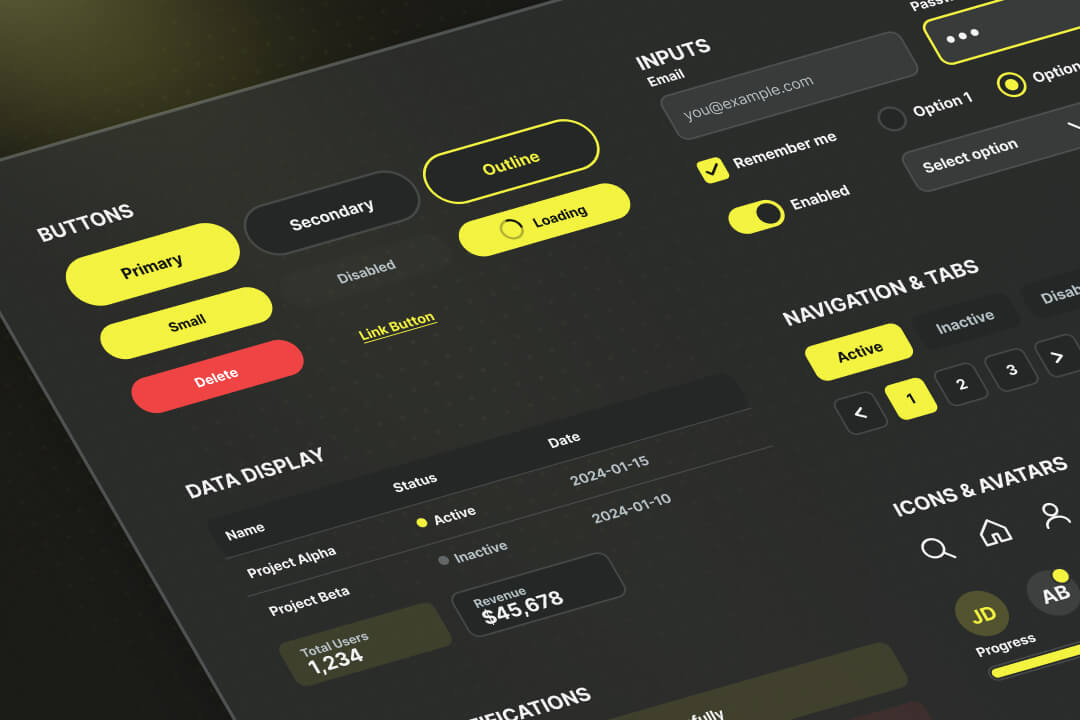
The most important things about UI design in a nutshell
- UI design means designing user interfaces with elements such as buttons, menus, colors, and typography.
- The difference to UX: UI refers to the visible interface, UX to the entire user experience.
- UI designers work with layouts, prototypes, and design systems, often in close coordination with developers.
- Good user interfaces are characterized by clear navigation, recognizable elements, understandable feedback on inputs and short routes to the most important functions.
- Examples of successful UI design can be found in modern apps, e-commerce platforms, and SaaS dashboards.
What is UI design?
UI design stands for user interface design and describes the User interface design digital products. This includes all visible and operable elements such as buttons, menus, forms, colors, fonts and layouts.
The goal of UI design is to design an interface in such a way that Users quickly find their goals and be able to complete tasks without detours. A good user interface conveys information clearly and makes interactions comprehensible.
What is the difference between UI design and UX design?
UI design refers to the visible surface of a product. It includes colors, buttons, navigation, typography, and all elements that users interact with directly.
UX design Means User Experience Design and describes the entire user experience. This includes expectations before use, the course of the interaction and the impression after use. UI is therefore part of the UX: A search field is part of the UI. Whether the results are sorted sensibly and found quickly is part of the UX.
.avif)
What are the tasks of a UI designer?
A UI designer develops the User interface of an app, a website, a game or any other digital product in such a way that they are understandable and easy to use. To do this, he designs layouts, defines colors, typography and symbols, and ensures that all elements look consistent.
An important part of the work is Creating prototypes, which can be used to test processes before development begins. UI designers work closely with UX designers and developers to ensure that the design looks good and can be implemented technically at the same time.
For implementation, a UI designer uses tools such as Figma, Sketch or Adobe XD, with which designs are created, shared and edited together.
What are the most important rules for good UI design?
Good UI design follows fixed design rules that ensure that an interface is understandable, consistent and easy to use. If you follow these rules, you create a user interface that users understand without explanation and can use intuitively.
1. Uniform design
Recurring elements such as buttons, colors or font sizes must each have the same shape. Users remember patterns once they have learned and therefore find their way around more quickly.
2. Clear structures
Headlines, spacing, and visual hierarchies show which content belongs together. A logical arrangement makes it much easier for the user to find their way around and prevents a search effort.
3. Visible interactions
Every action requires direct feedback, such as a button that changes color after the click, or a load indicator when uploading a file. This allows users to know what's happening at any time.
4. Comprehensible language
Texts in menus, buttons or error messages must be formulated simply and therefore comprehensibly. Technical terms or phrases that do not at first glance make it clear what is meant are unsuitable.
5. Focus on the essentials
Unimportant elements should be withdrawn so that the core functions are immediately recognizable. A layout tidy in this way skilfully guides the user through the interface.
6. Consider accessibility
High color contrasts, scalable font sizes and keyboard usability ensure that as many people as possible can use the interface. This applies to games and apps as well as to barrier-free websites.
How does the UI design process work?
The UI design process describes the path from initial requirements to the finished user interface. It comprises several steps to ensure that an interface is understandable, functional, and visually consistent.
- 1. Clarify requirements: At the beginning, it is determined what the surface should do. This includes which functions users need, what goals the company is pursuing and on which devices the application should run.
- 2. Design initial structures: The content and functions are arranged in a type of blueprint, often as a simple sketch or as a so-called wireframe. This makes it easy to see which elements are on a page and how users can switch between them.
- 3. Define the design: Colors, fonts, spacing, and symbols are defined so that the entire interface produces a uniform image. This step creates the visual appearance, which later applies to all pages.
- 4. Create a prototype: A clickable model shows how the user interface works. It allows users to try out initial processes, for example how to fill out a form or use a navigation system.
- 5. Test and improve: The prototypes are tested with real users. If processes are incomprehensible or functions cannot be found, the design is adapted.
- 6. Support implementation: The finished design is handed over to the developers. It usually contains a design system, i.e. a collection of reusable elements that ensures consistency even with future expansions.
Examples of good UI design
Good UI design is recognized by several institutions and companies every year, including the A' Interface, Interaction and User Experience Design Award, the Apple Design Awards, and the UX Design Awards, which recognize UI and UX in equal measure.
UX Design Awards (2025)
Die UX Design Awards distinguish user experience and interface design. The winners of the fall round are always officially announced in September. Winners and nominees include:
.avif)
A' Interface, Interaction and User Experience Design Award
This international award honors outstanding interface designs for apps, dashboards or e‑commerce.
- Inkslab Control Terminal by Hdl Automation Co., Ltd.: Prize winners 2025
- Culture to Technology Identity Placard by Lei Wang: Prize winner 2025
.avif)
Apple Design Awards
Apple honors developers who show technical creativity and UI innovation in their apps or games The winners will be presented at the Apple Worldwide Developers Conference (WWDC) announced.
.avif)
UI design for Axisbits apps and websites
At Axisbits, we design user interfaces for apps and websites in such a way that they are immediately understandable and easy to use for your users and customers. In doing so, we combine visual design with clean technical implementation and ensure that every element contributes to orientation.
You can find our design examples in our portfolio. If you have a project on the table yourself and would like a non-binding consultation on the design, get in touch with us! We will show you which path you can take and will implement it if you wish.
{{fs-btn-cta}}
Wir schaffen leistungsstarke Plattformen und Websites für Startups, Scale-Ups und KMUs, von Konzept bis Go-Live.
We develop high-end websites and apps for start-ups, scale-ups and SMEs, from concept to go-live!
UI Design — Common Questions and Answers
UI design describes the design of the visible user interface of digital products. This includes buttons, menus, colors, and layouts that make it easier for users to operate an application.
UI design focuses on the interface and its elements, UX design covers the entire user experience. Both areas are intertwined, as a good user experience is not possible without a clearly designed interface.
Common tools include Figma, Sketch, and Adobe XD. They make it possible to create layouts, prototypes and design systems, which are later implemented by developers.
A good user interface is immediately understandable and can be used without instructions. Users quickly find important functions, receive clear feedback and can complete tasks without unnecessary intermediate steps. The better the UI design, the faster you'll find your way around.
Axisbits develops user interfaces for business software, apps and platforms that are based on WCAG standards and consistent design systems. This gives companies interfaces that look professional and are easy to use at the same time.
More articles

Many teams experience Sprint Planning in one of two extreme ways: either as an endless meeting that drags on for three hours and still provides no clarity, or merely as a ticket-shuffling exercise in Jira that could just as easily have been handled via email. Neither of these approaches aligns with the true purpose of Sprint Planning.

According to the swissICT Digital Excellence Report, only 35 percent of Swiss companies are on track with their digital alignment. For 26 percent, there is significant need for action (Source: swissICT). Companies invest in tools, cloud services, and AI pilot projects without a plan that holds it all together. The result: fragmented system landscapes, duplicated work, and budgets that don't flow where they have the most impact. The right IT strategy is the answer to this.

Artificial intelligence is now an established tool in software development, integrated directly into the programming environment. Developers spend less time writing boilerplate code and can instead focus on how the different parts of an application logically interact.