User analysis simply explained: methods, tools and use cases
User analysis helps you to record the behavior and expectations of your users and to derive optimization options from this. In this article, you will learn what constitutes user analysis, what methods are available, and how to select the appropriate tools.

What is user analysis?
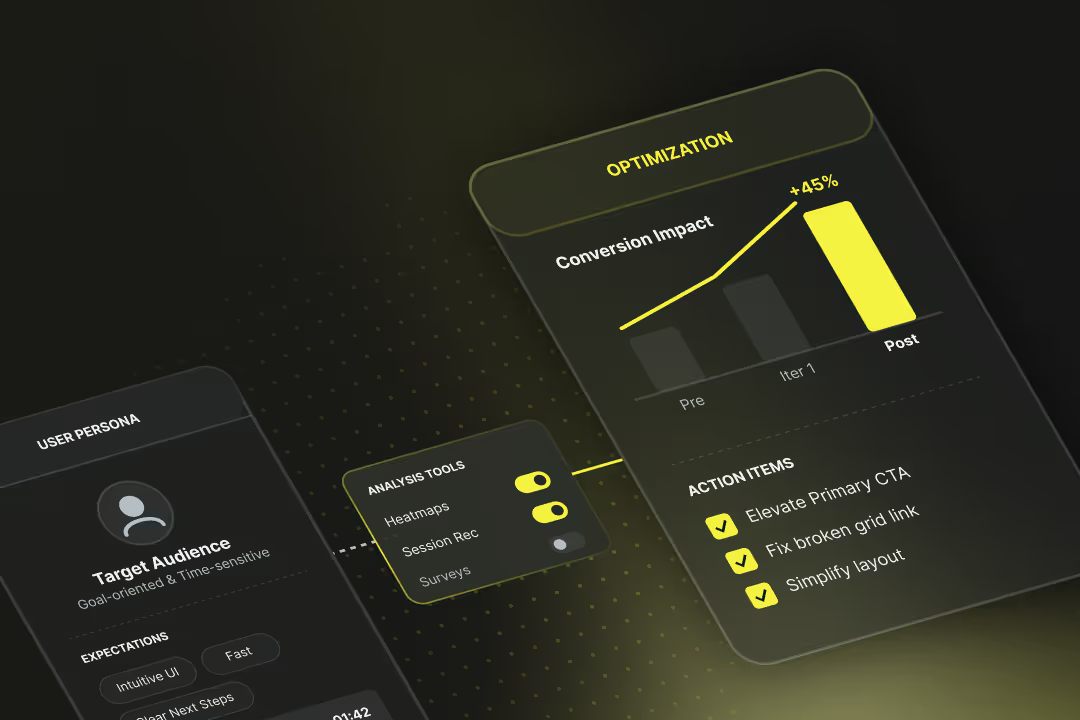
User analysis systematically examines the behaviour of visitors on a website or in an app, providing information on which pages are visited particularly frequently, where users drop off, which elements are clicked on and how visitors move through the content.
The aim is to better understand the behaviour, wishes and experiences of users in order to derive opportunities for improvement.
Example user analysis:
An online shop finds that many visitors fill the shopping cart, but too often the purchase process is not completed. Through user analysis, the team recognises that the checkout is too complicated. With this insight, the page is revised.
Why is user analysis important?
User analysis helps you understand whether people can really use your digital offering, whether they want to use it and whether they can easily find the right ways to do so.
Without user analysis, you might notice that something isn’t working, such as high bounce rates or few conversions. Why this happens, however, remains unclear.
How do user analysis and market research differ?
Market research examines the overall market, target groups and prevailing trends. User analysis looks at specific behaviour when interacting with a product.
Market research asks people what they want. User analysis observes what they are really doing.
What methods of user analysis are there?
If you want to understand how people interact with your digital product, you should know why something is happening and how you can fix mistakes. This is exactly what quantitative and qualitative methods of user analysis exist for.
Quantitative methods of user analysis
Quantitative methods give you hard numbers. They help you to make user behaviour measurable and identify patterns in it. Typically, this involves large amounts of data.
Examples of quantitative methods of user analysis:
- Web analysis using tools such as Google Analytics or Matomo: You can see how many users visit your site, how long they stay, or where they drop off.
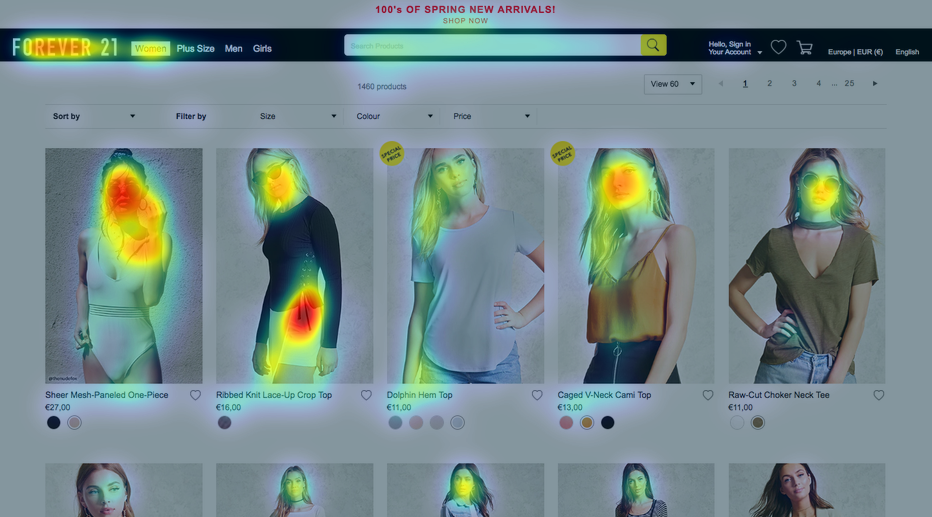
- Heatmaps and scrollmaps (e.g. Hotjar): These show you how far users scroll, where they click, and which areas they ignore.
- Click tracking and session recordings: You can track entire user sessions and see how people navigate through your product.
- Conversion analysis: You can see where a purchase, registration or other important step is abandoned.
Quantitative methods are good for identifying weaknesses in user flow and making the impact of changes objectively measurable.
Qualitative methods of user analysis
Through qualitative methods of user analysis, you can find out the reasons for user behaviour. They help you understand the thoughts, feelings, and motivations of your users.
Examples of qualitative methods of user analysis:
- User interviews: You talk directly to your target groups and find out what bothers them, what they want and what they don’t understand at all.
- Surveys & feedback-forms: An easy way to collect structured feedback, either on your website or afterwards.
- Usability testing: Users complete specific tasks with your product while you watch how they do it, for example using the Think-Aloud method.
Combining quantitative and qualitative methods of user analysis
Some methods combine both perspectives. A good example of this is A/B testing: here you test two variants of your site against each other and measure which works better. You get numbers, but often the biggest value is understanding which content or structures are better received by your users.
How do I choose the appropriate method for my question?
The right method depends directly on what you want to find out. If you want to know where users are dropping off, you need quantitative data, e.g. from a funnel analysis. If you want to understand why users drop off, you need qualitative methods such as interviews or usability tests.
Rule of thumb:
Numbers & patterns → Quantitative methods (analytics, heatmaps, tracking)
Opinions & reasons → Qualitative methods (interviews, tests, surveys)
Decision guide: Which method suits which question?
| Question / Goal | Suitable method(s) | Why this method fits |
|---|---|---|
| Where do users drop off in the process? | Web analytics, funnel tracking | You need numbers & patterns about behaviour |
| How do users move around the page? | Heatmaps, scrollmaps, session replays | You want to visually trace where clicks happen |
| Do users understand my navigation? | Usability tests, tree testing | You need qualitative feedback & observation |
| Why is a feature rarely used? | User interviews, surveys | You want to understand subjective reasons & barriers |
| Which variant works better? | A/B test, split test | You test specific changes objectively |
| How satisfied are users with XY? | Feedback forms, surveys | You ask specifically about opinions and feelings |
| Which terms do users use? | Card sorting, interviews | You want to capture users’ language & mental models |
| What do users expect on a page? | 5-second test, first click test | You test first impressions and intuitive usability |
How does user analysis work in e-commerce, SaaS and apps?
The basic principles of user analysis always remain the same. However, the process of a user analysis differs depending on the context, such as online shops, software-as-a-service (SaaS) or apps.
User analysis in e-commerce
The online shop is about optimising the buying process.
Typical questions:
- Where do users drop off?
- Which products are frequently viewed but rarely bought?
- How do individual categories, filters, or checkout steps perform?
Tools: Google Analytics, Hotjar, Clarity, A/B testing with VWO or Convert
Focus: Conversion rates, shopping cart abandonments, product page performance
User analysis in SaaS
Software-as-a-service focuses first on conversion and then on sustainable use.
Typical questions:
- How do users get on with onboarding and navigation?
- Which features are actively used and which are ignored?
- Why do customers cancel (churn)?
Tools: Mixpanel, Heap, User Interviews, In-App Feedback
Focus: Retention, feature adoption, activation, churn reasons
User analysis for apps
In apps, every second counts and users are quickly distracted or annoyed.
Typical questions:
- Where does the operation get stuck?
- Which screens work, which frustrate the user?
- How does load time affect behaviour?
Tools: App Analytics (Firebase), UXCam, Lookback, Session Recordings
Focus: Touch behaviour, flow drop-offs, performance, user feedback
How does a user analysis work step by step?
A user analysis follows a clear process in five steps:
1. Define goal
→ What do you want to find out or improve?
2. Select method
→ Depending on the goal: observe, ask, test (or combine).
3. Collect data
→ For example, via analytics tool, interviews, usability testing or session recording.
4. Evaluate results
→ Identify anomalies, patterns and problems; discuss with the team if needed.
5. Derive & test measures
→ Formulate hypotheses, implement solutions and retest.
Which tools can I use for user analysis?
The following is a selection of proven tools for user analysis, broken down by their main function.
Tools for quantitative user analysis
If you want to work with numbers and behaviour tracking, these tools are your starting point:
- Google Analytics / GA4: The classic for website tracking. Shows page views, bounce rates, session duration, goals and more. GDPR-compliant, but only with adjustments.
- Matomo: Privacy-friendly alternative to GA. Can be run on your own server and offers many features for tracking, funnels and heatmaps.
- Microsoft Clarity: Free tool with heatmaps and session replays. Particularly useful for scroll depth, rage clicks and fast load times.
- Plausible / Fathom: Lightweight, GDPR-compliant, and cookie-free. For small websites with a focus on data protection.
- Mixpanel: More suited for apps or complex digital products. Tracks user actions (“events”) and allows deep funnel analyses.
Tools for qualitative user analysis
If you want to understand why users act in a particular way, you need tools for feedback and observation:
- Hotjar: In addition to heatmaps, it also offers surveys, session replays, and feedback widgets. Ideal for beginners.
- UsabilityHub: Platform for remote testing, such as first-click testing, 5-second testing, or design comparisons.
- UserTesting: Larger and more professional setup for systematically testing target groups.
- Typeform / Survicate / Google Forms: Tools for surveys and feedback forms. Flexible, easy and often free.
- Lookback.io: Particularly suitable for moderated usability tests with video and audio, e.g. via Zoom or live session.
A/B testing & experimentation tools
This is about specifically testing variants:
- VWO: Powerful testing tool for A/B, split and multivariate tests.
- Convert.com: GDPR-friendly, with very good integration for complex tests.
- Optimizely: More suited for enterprise level, but very insightful.
Tip: You can find out more in our article on A/B testing tools.
Free tools for user analysis
Especially if you’re starting small and paying attention to GDPR, these tools are suitable:
- Matomo (on-premise): free with self-hosting, no cookie requirement
- Microsoft Clarity: free, many features for start-ups & SMEs
- Plausible / Fathom: GDPR-first, deliberately kept minimalistic
- Hotjar Basic / Smartlook Free: limited but usable free plans
- Google Forms / Feedback Tools: free, ready for immediate use, no prior knowledge required
What are the typical problems with user analysis?
There are always technical, organisational or methodological problems in user analysis:
- No clear goals defined: You start with user analysis without first determining what you actually want to find out. You’ll collect a lot of data but learn little from it.
- The wrong method chosen: Not every method fits every question. Some rely exclusively on web analytics tools and overlook the lack of qualitative insights. Others run surveys with poorly formulated questions or an unsuitable target group.
- Data is misinterpreted: You see that many users leave a page early and automatically assume the content is poor. But maybe the load time was too long. Or users found exactly what they were looking for very quickly. The correct interpretation of the results is therefore missing.
- Results get stuck in the company: It often fails because no one acts on the results. The UX research sits unused or meets internal resistance (“We’ve always done it this way.”).
- Data protection & GDPR are forgotten: Data protection is a sensitive issue, particularly in German-speaking countries. If you use session recordings or tracking tools, you should follow the rules.
How do I carry out a GDPR-compliant user analysis?
To ensure that your user analysis is in line with the GDPR, you should consider three things:
1. Check the legal basis
→ For tools that process personal data (e.g. IP address), you need consent (e.g. via a cookie banner).
2. Work in a data-efficient way
→ Use tools that only collect as much data as necessary. Tools such as Matomo (self-hosted), Fathom or Plausible are privacy-friendly.
3. Inform users
→ Your privacy policy should clearly state which tools you use, which data is collected and for what purpose.
Why is user analysis an important part of conversion rate optimisation?
User analysis is part of a functioning conversion rate optimisation (CRO). The aim is to understand how users really interact, to specifically test this behaviour and to optimise it sustainably based on the results.
At Axisbits, we know from our own experience that conversion rate optimisation is very detailed and time-consuming, but equally lucrative.
If your website or shop consistently falls below expectations, it might be worth taking an outside perspective. A neutral assessment often helps to identify hidden potential. Get in touch with us and we’ll show you how we approach user analysis and conversion rate optimisation for your site.
{{fs-btn-cta}}
Wir schaffen leistungsstarke Plattformen und Websites für Startups, Scale-Ups und KMUs, von Konzept bis Go-Live.
We systematically increase your conversion rate with user analyses, A/B testing and proven CRO methods — month by month!
Nutzeranalyse – Häufige Fragen und Antworten
User analysis is the overarching term and includes all methods to understand the behavior and wishes of users. A usability test is a specific method in which you specifically observe how people use your product.
Preferably regularly, especially in case of relaunches, major updates or ongoing problems. User behavior changes over time, so a one-time analysis is rarely enough.
Yes, you can already gather valuable insights with simple tools such as Microsoft Clarity, Hotjar (Free) or Google Forms.
It is often due to unclear goals, incorrect methodology or a data base that is too small. Check whether you've asked the right questions and selected the right tool for your use case.
More articles

Many teams experience Sprint Planning in one of two extreme ways: either as an endless meeting that drags on for three hours and still provides no clarity, or merely as a ticket-shuffling exercise in Jira that could just as easily have been handled via email. Neither of these approaches aligns with the true purpose of Sprint Planning.

According to the swissICT Digital Excellence Report, only 35 percent of Swiss companies are on track with their digital alignment. For 26 percent, there is significant need for action (Source: swissICT). Companies invest in tools, cloud services, and AI pilot projects without a plan that holds it all together. The result: fragmented system landscapes, duplicated work, and budgets that don't flow where they have the most impact. The right IT strategy is the answer to this.

Artificial intelligence is now an established tool in software development, integrated directly into the programming environment. Developers spend less time writing boilerplate code and can instead focus on how the different parts of an application logically interact.