Prototyping in software development — A small tool with great benefits
Architects often create a miniature model of a building — long before construction planning actually begins. Prototyping fulfills the same functions in software development: seeing, touching, and being able to explain. Here you can find out what else is behind a software prototype and what type you can use for yourself.

Why prototyping?
A prototype is a first sketch of your software or individual functions. It's an illustration that makes your idea more tangible. It serves the first Look & Feel and make sure that you can discuss your idea with others.
Distinction: prototype vs. MVP
A prototype is an early test version of an idea, often incomplete and only slightly or not at all functional, in order to test design, concepts, or technical feasibility.
A Minimum Viable Product (MVP) On the other hand, an already market-ready version of a product with the minimum necessary functions is
How does prototyping work?
- Set a goal: First, think about what exactly you want to test. Is it about the design? Would you like to play through a specific process? Should users quickly recognize how to navigate through the application?
- Build a prototype: You're creating a simplified version of your product. This does not have to be perfect, but should provide a basic idea. This can be a scribble on paper or even a clickable version in a suitable tool.
- Get feedback: Show your prototype to potential users, test it yourself or let other experts look at it. Collect everything that catches your eye: What works, what irritates?
- Customize and improve: Based on the feedback, you decide what you want to change or rethink about the prototype. Then test again until you get a clear picture.
What types of prototyping are there?
There are various approaches to prototyping. The selection depends on how deep you want to go and what goals you have.
Low-fidelity prototype
- What is that? A very rough, simple presentation. Often sketched on paper or digitally.
- advantage: Extremely quick and inexpensive to implement. Illustration of initial ideas that are likely to change significantly
High-fidelity prototype
- What is that? Significantly closer to the end product. Often with real design elements, interactive buttons, animations, etc.
- advantage: Users and stakeholders can better imagine what it will ultimately look and feel like. You can play through features in more detail.
- Disadvantage: More complex to create and modify. When yourself basic Changing ideas may have meant wasting a lot of work.
Throwawaway/rapid prototype
- What is that? A quickly created prototype that is not further developed but discarded after the test phase.
- advantage: You get insights quickly and don't have to build a large architecture because none of it will last anyway.
- Disadvantage: You may incur additional costs if you have to rewrite the same part from scratch later.
Evolutionary prototyping
- What is that? You keep expanding your prototype until it becomes a finished product at some point.
- advantage: No throwaway work, but everything flows directly into the end product. Feedback is constantly flowing in, you have a very tight learning and adaptation loop.
- Disadvantage: Initial and experimental decisions can become the basis for the later system. This is the risk that a temporary solution will become an unstable permanent solution.
Prototyping examples
Sketches for an app
You've got an idea for a new fitness app. Before you write a line of code, record the most important screens: start page, workout selection, progress bar, etc.
You can then discuss these sketches with other people and get feedback. Where would you click? Where are certain links expected? Which function should be placed where?

Clickable web interface
In a company, you want to digitize a new internal process.
With a tool like Figma or Adobe XD, you build a clickable design of the user interface within a few days: buttons, forms, process from step A to B.
This allows your colleagues to test whether they understand the process and whether all necessary information is being queried. Based on the feedback, you can change the screens. Only when that works, do you hand out the order for the actual software development.

3D model for virtual reality (high-fidelity prototype)
Imagine that you are working on a VR application, for example for a virtual trade fair. You don't just want to throw a picture on the wall. So you create a high-fidelity prototype in which your users can already walk through a virtual exhibition stand. Not all exhibitors and products are integrated, but everyone involved can see what the end result could look like — and you'll quickly see whether they like the navigation or the interaction.

Prototyping: Your start in software development
Prototyping is a valuable tool. It helps you to make your idea understandable and tangible for others. Once that is achieved, you can discuss the idea with your team and develop it further from that point on.
If you've already formulated ideas for a software project and would now like to learn the next steps, we'll help you. Tell us your goals and we'll discuss together how we can implement your software for you.
{{fs-btn-cta}}
Wir schaffen leistungsstarke Plattformen und Websites für Startups, Scale-Ups und KMUs, von Konzept bis Go-Live.
Prototyping — common questions and answers
No, but prototypes help make your idea tangible. This makes it easier for others to give you feedback.
Sometimes yes, when the prototype is technically sound. However, it is often rejected and used as a basis for a new, clean implementation.
A simple prototype can be created in just a few hours or days. Depending on the complexity, an MVP usually takes weeks or months.
Figma, Adobe XD or Sketch are suitable for UI prototypes. There are tools such as InVision or Axure for interactive prototypes.
More articles
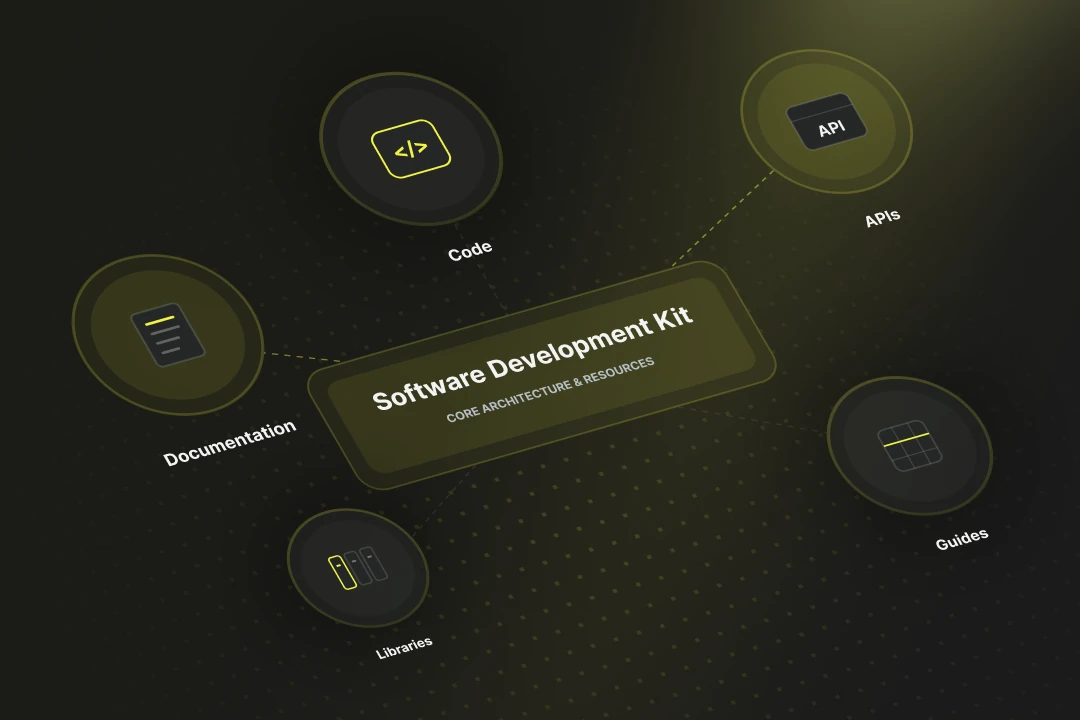
SDK stands for Software Development Kit. Online the abbreviation also turns up for a German health insurer, but in software development SDK always means a package of tools, libraries and documentation for a particular platform. It lets you build apps faster, because standard functions such as login or payment ship ready-made.
Embedded software is control code that runs directly on a hardware system, without a generic operating system in between. In 2026 embedded software has become a compliance topic, because the Cyber Resilience Act (CRA) starts to bite from September 2026 with its first reporting duties — including for Swiss manufacturers active on the EU market.
