Carry out usability tests correctly: methods, process and practical examples
A usability test shows where users fail in your app, website, or software. However, if you don't test the user interface, you're giving away a lot of opportunities.

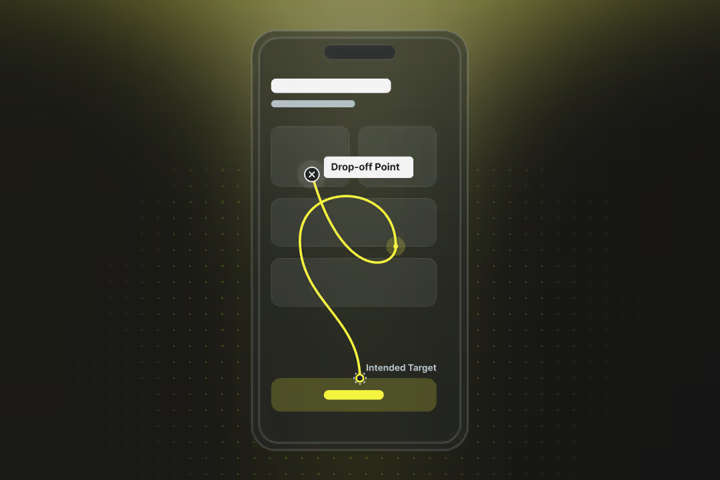
Usability tests give you the answers that numbers alone can’t provide, and you don’t need a huge budget or weeks of preparation. In this article, you’ll learn how to find out with simple means where your users are really stuck and how to systematically solve these problems.
The most important things in brief:
- 5 users are enough for the usability test — they reveal approx. 85% of all problems
- Observe instead of asking! Real usage behaviour shows you the most
- Use the Think-Aloud method: thinking out loud brings many insights
- The tests are possible remotely & with little technology: via Zoom and Google Forms
- Test regularly: test small and often rather than large and rarely
What is a usability test?
A usability test is an empirical method for systematically evaluating the usability of digital products. It shows how users interact with software and where there are difficulties in understanding or barriers to use.
During a usability test, you watch test participants use your website, app or product. While they complete typical tasks, you observe where they get stuck, what confuses them and where everything runs smoothly.
Simple example of a usability test
You are launching an online shop for outdoor equipment. In the usability test, you give a test participant the task:
“Find a waterproof backpack for a three-day hike and order it.”
After that, you only observe the behaviour. You might see them searching for a long time for the “waterproof” filter. Or how they abandon the checkout process because the shipping costs are only shown at the very end, causing the total price to rise unexpectedly.
How many test subjects does a usability test need?
Jakob Nielsen found that five test subjects already uncover around 85% of all usability problems. His most important finding was:
“Elaborate usability tests are a waste of resources. The best results come from testing no more than five users and running as many small tests as possible.” Jakob Nielsen, translated from English.
.jpeg)
Difference between usability tests and other methods
Usability testing is often confused with other methods or lumped together. This is understandable, because many approaches deal with users and their behaviour, and all feed into the higher-level conversion rate optimisation. This also includes UX optimisation. However, the differences are important because they determine what kind of insights you get:
- A/B testing: In A/B testing, you show different user groups two versions of your website and measure which one works better. However, you don’t find out why that is the case.
- Focus groups: People discuss your product and share their opinions. But that doesn’t show you how they would actually use it.
- Surveys: You ask what people think or want. (It is only during the usability test that you see what they actually do.)
- Heatmaps: They show you where users are clicking and scrolling — but not why they’re doing it or whether they’ve achieved their goal.
Types of usability tests
Usability tests differ primarily in four dimensions: moderated vs. unmoderated, remote vs. on-site, with or without thinking out loud, and in a controlled vs. natural environment. With 5 to 8 participants, moderated tests already reveal 85 to 90% of problems; unmoderated tests would require around 30+ participants.
Moderated vs. unmoderated usability tests
Moderated testing: You or a colleague guides the participant through the test, asks questions and can follow up. It’s like a conversation: you see what’s happening and you can also find out what the user is thinking. Moderated testing identifies 85 to 90% of issues even with 5 to 8 participants.
Unmoderated testing: The participants receive tasks and work through them independently while software records everything. It’s cheaper and faster, but you miss out on the thoughts and reactions. For this, you need around 30 or more participants for meaningful results.
Usability testing remotely vs. on-site
Remote testing: The participants sit at their own computer at home or at work, and you connect via video call. This is practical, inexpensive and users are in their familiar environment, so they may also behave more naturally. You see around 80 to 85% of the problems you would also see on-site.
On-site testing: You’re in the same room or usability lab, with controlled conditions, professional recording and no distractions. You see facial expressions and body language and can immediately help with technical problems. This reveals 90 to 95% of all problems, but costs more time and money.
Guerrilla testing
You go to a coffee shop or other busy place with your laptop, talk to people and ask them for 10 minutes of their time for a quick test. This works well for first impressions and obvious problems. The advantage is that the test subjects are completely unbiased.
Usability test: Think-Aloud vs. silent observation
Think-Aloud: The participants say out loud what they are thinking and doing. This gives you insights into their thought processes. Studies show that Think-Aloud reveals 4.8 times more individual problems than subsequent surveys.
Silent observation: You just watch and ask questions afterwards. This shows more natural behaviour, but you learn less about user motivation.
Phases of a usability test
A usability test consists of three main phases: preparation, implementation and follow-up. Preparation is decisive for the success of the entire test and usually takes more time than the actual execution.
1. Preparation phase
- Define goals: What exactly do you want to find out? “Test the website” is not a goal. “Find out why 60% of users abandon at checkout” is. The more precise your goal, the more targeted you can set up the test.
- Define the test object: What are you testing specifically? A live website, a prototype, an app? This also determines which tools you need and how realistic the test results will be.
- Formulate tasks: Develop realistic scenarios that your target group would also encounter in real life. Instead of “click on the red button”, better: “You’re looking for a birthday gift for your sister. Find something suitable and order it.”
- Recruit participants: Find people who match your real target audience — not just in demographic terms, but also in behaviour and experience with similar products.
2. Implementation phase
The following scheme is often used to carry out usability tests:
- Welcome: Explain the process, put participants at ease and make clear that you’re testing the product, not them. People tend to feel bad when they don’t understand something.
- Carry out tasks: Let participants work and hold back. Your job is to observe, not to help. If they get stuck, that’s an important insight.
- Think-Aloud method: Ask participants to think out loud. “What’s going through your head right now?” or “What are you looking for?” are good prompts to get them talking.
- Document: Note everything: where they hesitate, what confuses them, which words they use. Video recordings are valuable documentation, but you should still take notes in parallel. Tip: keep a timer running during the test so you can timestamp individual notes and match them to the right moment in the video.
3. Follow-up phase
- Evaluation: Go through your notes and videos. Look for patterns: did several participants have problems at the same point? Which tasks were not completed at all or only with great difficulty?
- Prepare results: Compile your findings in a way that others can understand and use. Screenshots of problem areas, participant quotes and concrete suggestions for improvement all help.
- Presentation: Share the results with your team. Video clips are often more convincing than long reports. When the development team sees a user searching for a button for minutes, they understand the problem better than through any description.
- Plan implementation: The best findings are useless if they end up in a drawer. Prioritise the problems found and plan concrete steps to address them.
Rule of thumb: for each day of testing, plan two to three days for preparation and follow-up.
Tools for usability tests
The tools for usability testing range from free basic solutions to professional platforms. You often need less to get started than you think — sometimes Zoom and a smartphone are enough.
Free and low-cost tools for usability testing
- Zoom or Teams: Perfectly sufficient for remote testing. You can share screens, record and take notes at the same time.
- OBS Studio: Free screen recording software for local tests. A bit more complex to use, but very powerful.
- Google Forms: For pre-test questionnaires and post-test feedback. Free and easy to use.
- Smartphone: Often underestimated, but perfect for guerrilla testing, for example. You can create video screen recordings and evaluate the sessions afterwards at your leisure.
Usability tools
- Hotjar: Heatmaps, session recordings and simple surveys in one tool.
- Maze: Focus on prototype testing with good Figma integration. Particularly strong for unmoderated tests.
- Lyssna (formerly UsabilityHub): Good for specific tests such as first-click or 5-second tests. 300 free responses per year.
Professional usability test platforms
- UserTesting: The market leader with a large participant pool and AI-assisted evaluation. Higher price range.
- Lookback: Especially suited for moderated tests with good video quality. Mid-range price, but very user-friendly.
- UsabilityHub (now part of Lyssna): Various testing methods under one roof, from card sorting to prototype testing.
Tip: Here you can find A/B testing tools.
Key facts: What to take away from usability tests
You need less than you think:
Five test subjects already identify 85% of all usability problems. A simple test with Zoom, Google Forms and your smartphone is all you need to get started and costs less than 50 francs per month.
Observing beats asking:
Usability tests show you what people really do. This makes them valuable and different from surveys or focus groups, which only collect opinions.
Preparation matters:
Most of the time is spent on planning and evaluation, not on the actual execution of tests. For each day of testing, plan two to three days for preparation and follow-up. This investment makes the difference between useful insights and wasted time.
Limits of usability tests to keep in mind:
1. The test situation is not realistic
In the test, users know they are being observed. They are more focused and motivated than in everyday life. This leads to higher involvement. Many errors that occur in real use remain undetected as a result.
2. Behaviour is often not typical
Users approach tasks more deliberately than outside of testing. They think more consciously and try to do everything right. This does not reflect actual use, which often happens casually or under time pressure.
3. Usability tests only check operation
They show whether something works, but not whether it is actually needed. Strategic questions about the product or market cannot be answered this way.
Stuck in your testing?
At Axisbits, we know from the experience of numerous website and software projects that both testing and conversion rate optimisation can be very detailed and time-consuming.
When the performance of your project is permanently underperforming against your expectations and you are sure that more should be possible, a neutral outside perspective will probably help.
Your shop should be converting more, your landing page delivering more leads, and there’s still too much room in your pipeline?
Maybe it’s time for a neutral look at your content, your software and your entire website. Together, we can develop a roadmap that gets your revenue growing again. Get in touch and we’ll show you how we would approach conversion rate optimisation including usability testing.
{{fs-btn-cta}}
Wir schaffen leistungsstarke Plattformen und Websites für Startups, Scale-Ups und KMUs, von Konzept bis Go-Live.
We systematically increase your conversion rate with usability and A/B testing as well as other CRO methods — month by month!
Usability testing — frequently asked questions and answers
For B2C products, social media and friends and family work well. For B2B products, use LinkedIn or ask existing customers for help.
A test session usually lasts 30 to 60 minutes. The entire study with five participants requires about a week: 2 to 3 days of preparation, 1 to 2 days of implementation, 2 to 3 days of evaluation. Guerrilla testing is faster, often within an afternoon. However, the time for evaluation is also added here.
Observe first and endure it. If they're really stuck, ask “What are you thinking right now?” or “What would you normally do now?” Don't give clues right away, because their difficulties are valuable insights. Document this hurdle and then help them continue testing.
The most common mistake is to ask questions that already guide the test subject. Instead of “Do you find the button clearly visible?” better “What would you do now?” Also: Wanting to help too quickly when participants are struggling. Her issues are exactly what you're trying to figure out.
More articles

Many teams experience Sprint Planning in one of two extreme ways: either as an endless meeting that drags on for three hours and still provides no clarity, or merely as a ticket-shuffling exercise in Jira that could just as easily have been handled via email. Neither of these approaches aligns with the true purpose of Sprint Planning.

According to the swissICT Digital Excellence Report, only 35 percent of Swiss companies are on track with their digital alignment. For 26 percent, there is significant need for action (Source: swissICT). Companies invest in tools, cloud services, and AI pilot projects without a plan that holds it all together. The result: fragmented system landscapes, duplicated work, and budgets that don't flow where they have the most impact. The right IT strategy is the answer to this.

Artificial intelligence is now an established tool in software development, integrated directly into the programming environment. Developers spend less time writing boilerplate code and can instead focus on how the different parts of an application logically interact.