Sales Automation: How to Optimize Your Sales Process
Sales automation automates steps in the sales process: capturing new leads from forms, updating contact data in the CRM, sending follow-up emails, and more. Automation replaces manual and repetitive processes, enabling you to operate much more efficiently in sales.

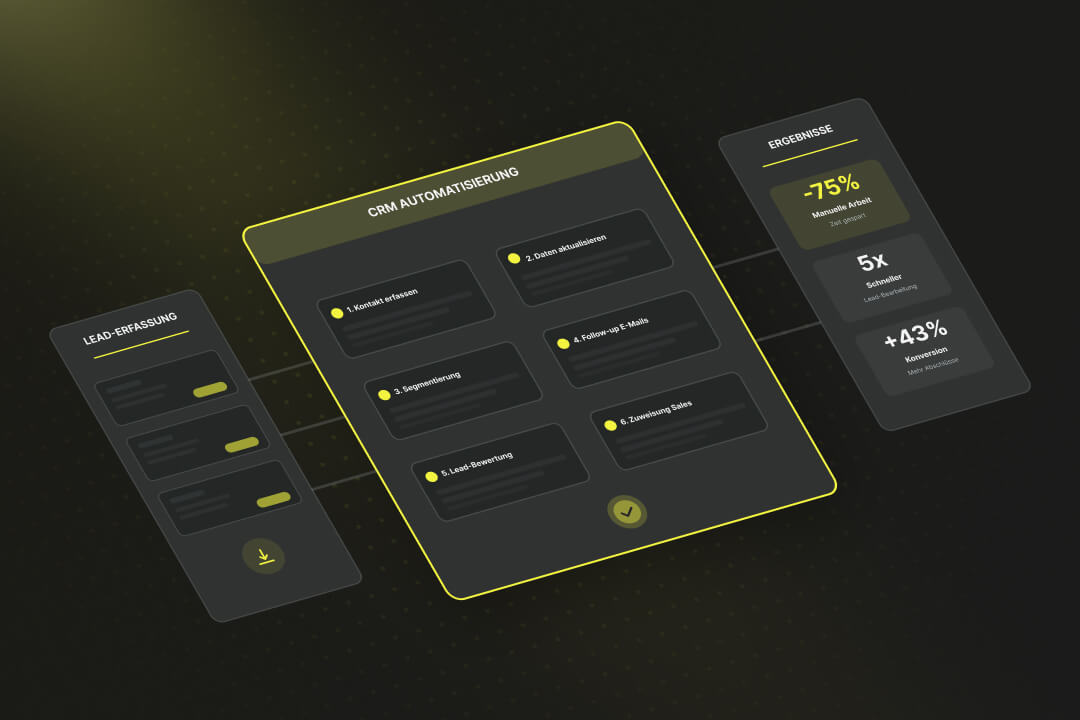
Sales Automation: Key Takeaways
- Sales automation automatically manages recurring sales processes according to predefined rules.
- Automation replaces manual steps such as lead assignment, follow-up emails, or quote delivery with predefined, reproducible sequences.
- Systems like HubSpot enable automation directly within the CRM, without programming.
- Sales tasks with digitally captured data and straightforward decision logic are particularly suitable for automation.
Use Cases: Where is Sales Automation Applied?
Sales automation is deployed wherever recurring tasks in the sales process can be precisely defined and standardized, for example, when capturing new leads, following up via email, booking appointments, creating quotes, or managing sales opportunities in the CRM.
Lead Routing and Qualification
New leads from forms, after trade fair visits, or online campaigns are automatically forwarded to the responsible salesperson based on criteria such as region, language, or product interest.
Systems like HubSpot or Salesforce use routing rules or predictive scoring models that calculate the probability of closing. This reduces response times after the initial lead generation and prevents these inquiries from getting stuck in the inbox.
Automated Email and Task Sequences
Once a lead is assigned, a predefined sequence of emails, tasks, and reminders begins.
Example: Two days after the initial contact, a confirmation message is sent; after one week, an invitation to a meeting follows, then a technical data sheet. Simultaneously, a task is created for the salesperson in the CRM to review the progress.
Appointment Booking and Calendar Synchronization
Booking tools on websites or apps allow prospects to directly select available appointments in the sales team's calendar. These systems check availability, automatically create the calendar entry, and add video links if necessary.
In Switzerland, language-specific logic is often also implemented to ensure meetings are scheduled correctly across language regions and national borders.
Quotation and Contract Processes
Quotations are generated automatically. The automation accesses stored price lists or product libraries.
Customer data, discounts, and currency details (CHF) are incorporated, the quotation is created as a PDF or online link, and sent for electronic signature.
Pipeline Management and Forecasting
Automations automatically adjust the status of sales opportunities as soon as predefined events occur, such as an email reply or the opening of a quotation link. Forecasts are thus based on current data, and deviations from the plan are detected almost immediately.
Service and Upselling Signals
In customer service, sales automation evaluates support tickets, contract durations, or usage data to identify potential additional sales.
For example, if a customer repeatedly inquires about a specific additional feature, an expansion module, or a service package, the system automatically creates a task for the responsible account manager. This ensures that potential cross-selling or upselling opportunities are systematically pursued.
What are the benefits of sales automation?
Sales automation improves your sales processes by automating tasks, thereby creating measurable relief for your sales team.
It helps you process incoming leads faster, keep CRM records up-to-date, and plan revenues more realistically and comprehensively.
- Productivity: Manual copying of contact information, drafting similar emails, and similar tasks are eliminated. Automated processes take over these routine tasks. Salespeople switch less frequently between systems and can focus more on concrete sales opportunities, price negotiations, and follow-up actions.
- Data Quality: Automations check inputs for completeness, prevent duplicate records, and update fields in the CRM. As a result, pipeline values align with the actual negotiation status. Reports are based on complete, up-to-date data.
- Response Time: New leads are immediately assigned to a responsible salesperson, who automatically receives a notification. Email and task sequences start without manual intervention. This reduces the time between inquiry and response.
- Forecast Accuracy: Automated status changes, deal histories, and AI forecasts provide realistic revenue figures. Your sales managers see which deals are delayed or which regions are deviating from the plan, and can react accordingly.
- Scalability and Compliance: Once set up, automations can be transferred to new teams or products. Every step, from quote generation to data processing, is documented. This helps you with internal audits and ensures compliance with the requirements of the Swiss Data Protection Act (DSG).
- Economic Benefits: The effect is evident in saved working hours and additional deals. Example: If a salesperson saves four hours of administration time per week at an internal hourly rate of CHF 80, this amounts to approximately CHF 15,000 per year. If the closing rate simultaneously increases, revenue rises while costs remain unchanged.
Guide: How do I automate a sales process?
When automating, start with a few, very well-definable sales tasks, such as lead routing or follow-up emails. Then implement these tasks in your chosen CRM. Test the configured automation with real data sets and then expand it step by step.
Step 1: Document sales processes
Map out your current journey from lead to close. Note who in the team performs which task, in which systems these tasks are carried out, and which fields are filled in. Also note:
- Triggers ("Form submitted")
- Conditions ("Region = D-CH")
- Actions ("Assign to salesperson, send email, create deal").
Pro Tip: Take your time here and speak with many stakeholders in sales. Try to meticulously outline all possible processes and reactions to events in a BPMN model. Based on this modeling, you can develop automations.
Step 2: Prioritize use cases
Sort tasks by frequency, effort, and error susceptibility. Tackle the top 3 with high volume and clearly definable rules first, for example, lead routing, post-initial-call sequence, or automatic task upon quote opening. For each case, document the input, output, and desired outcome.
Step 3: Implement the first automations
- Lead Routing: When a new contact is captured, you can use a so-called Workflow in HubSpot determine who receives the lead. These workflows are visual rules: You define which criteria apply (e.g., region, language, product interest) and what action follows (e.g., automatic round-robin assignment, meaning evenly distributed among the team). Additionally, an email or Slack notification can be triggered.
- Post-appointment follow-up: After a scheduled appointment, a sequence starts, an automated series of personalized emails from the salesperson's inbox. You can define when the messages are sent and what content they contain. The sequence automatically stops as soon as the recipient replies or books a new appointment.
- Quote and Deal Stage Automation: If the deal status in the CRM changes (e.g., from "Negotiation" to "Closing Stage"), you can automatically trigger follow-up actions: a task for the salesperson, the creation of a quote, or the sending of an e-signature link.
Step 4: Integrate Systems
Connect your CRM with ERP, e-signature, and accounting so that data is only entered once. HubSpot offers many standard integrations; for special cases, you can send information to other systems or incorporate additional logic via webhooks or custom code actions.
The goal is for contact, deal, and invoice data to be identical everywhere, without manual updates.
Important: Without clean, up-to-date, and consistent data, no sales automation will run smoothly. Only if the data in ERP and CRM is flawless will lead scoring, personalization, and automation processes work flawlessly.
Step 5: Consider Data Protection and Data Location
Record and define which personal data is processed and where it is stored.
For HubSpot users, it is recommended to choose an EU region, such as Germany or Ireland, and to have a valid Data Processing Agreement (DPA). Ensure role-based access rights and comprehensive logging to comply with the requirements of the Swiss DPA.
Step 6: Test
Before publishing a sales automation, test each trigger with sample data. Check whether tasks are created correctly, notifications are delivered, and sequences are ended as expected.
Then, work directly in the production environment, but with a limited scope (e.g., only new inbound leads). Monitor workflow logs and dashboards to identify runtimes, errors, or duplicates.
Implement Sales Automation with a HubSpot Partner
With sales automation, you can help your team take manual tasks off their hands and have them handled automatically by your system. However, the transition from simple automations to a stable system integration can sometimes be challenging.
If you want to build or expand your automations in HubSpot, you can start with a certified partner. This way, you ensure that your sales automations from the very beginning are secure and stable .
Axisbits is an official HubSpot Solution Provider for Switzerland. We plan, develop, and integrate your automations so that they fit your existing processes and run stably in the long term.
- Setup and optimization of automations for sales, marketing, and service
- Integration of external applications via HubSpot Operations Hub or API
- Data migration, testing, and ongoing support
- Training and technical support for your team
We at Axisbits have been working with HubSpot ourselves for years and are now an official HubSpot partner for Switzerland. Do you want your team to get started quickly with HubSpot? Then get in touch with us!
{{fs-btn-cta}}
Wir schaffen leistungsstarke Plattformen und Websites für Startups, Scale-Ups und KMUs, von Konzept bis Go-Live.
We are a partner and official HubSpot Solution Provider, and we implement your sales automations in HubSpot!
Sales Automation – Frequently Asked Questions
Processes with straightforward workflows and rules are ideal: lead routing, standardized emails, appointment scheduling, quote workflows, deal updates, or notifications. In HubSpot, you can implement these tasks using workflows and sequences without any coding.
Marketing automation covers the area before initial contact: campaigns, forms, newsletters. Sales automation begins once a lead becomes sales-qualified. They manage activities in the sales funnel, including follow-ups, sending offers, forecasts, and approvals.
Typical KPIs include lead processing time, response time, lead conversion rate, closing rate, and forecast accuracy. Comparing these values before and after implementation will demonstrate the benefits of automation.
In HubSpot, AI features like the Prospecting Agent or deal summaries help set priorities or suggest next actions. It's crucial to ensure you have stable foundational processes in place before implementing AI.
Axisbits understands both the technical capabilities of HubSpot and the typical sales processes in Swiss SMEs. As your partner, we support you with data cleansing, workflow design, integration of third-party systems, and training your team. This ensures that your automations run reliably from day one.
More articles
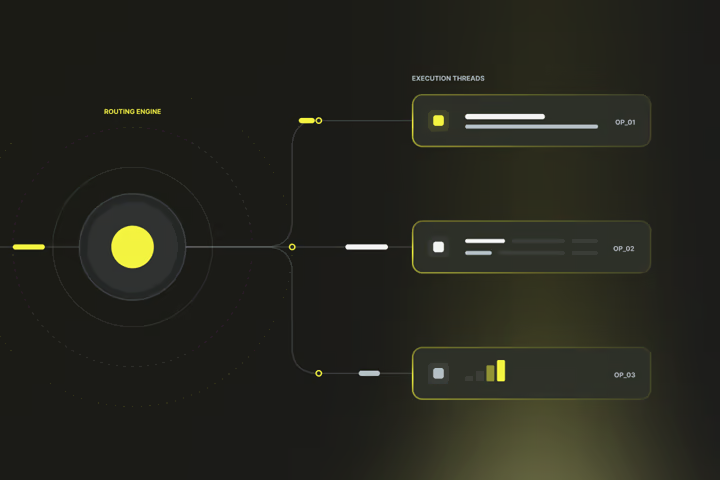
Business process automation (BPA) is part of process automation and means automating recurring work steps in a company with software. The aim is to carry out standardized processes in future without manual intervention by employees.

Automated emails have been proven to increase the conversion rate and, at the same time, reduce manual effort in marketing. According to DemandSage, over 71% of marketers are actively using email automation in their campaigns, and automated workflows generate around 37% of total email revenue.
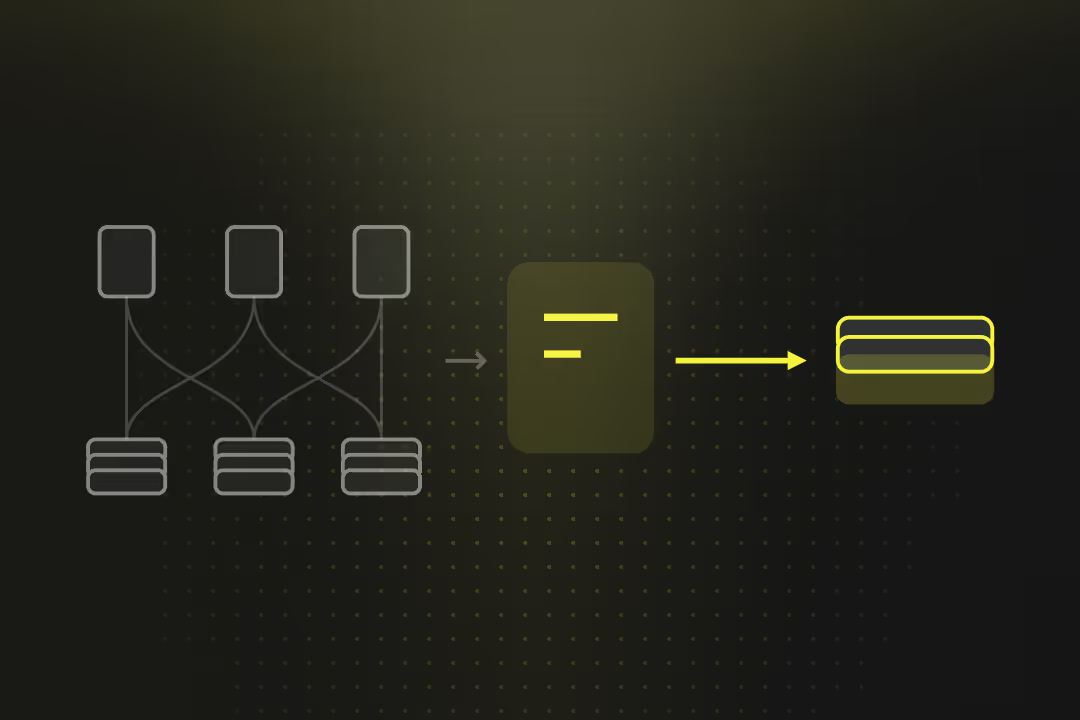
Prozessoptimierung bezeichnet die gezielte Verbesserung von Arbeits- und Informationsabläufen innerhalb eines Unternehmens. Dabei werden zum Beispiel Freigabewege verkürzt, redundante Datenerfassungen eliminiert und technische Übergaben zwischen Systemen stabilisiert, um den Gesamtprozess messbar zu beschleunigen.