What is a prototype?
A prototype is a simplified, partially functional model of a product or software. It is used to test certain characteristics such as usability, function, form, or technology before the final version is developed or produced. A prototype is therefore a validation tool. It forms the basis for verifying assumptions about user behavior, technical feasibility, or market acceptance before a project moves into the often costly implementation phase.

.avif)
Prototype: Key Takeaways
- A prototype is a simplified, often functional model of a product or software.
- Prototypes are used to test function, usability, and technical feasibility.
- Prototypes can be digital or physical, such as clickable models or 3D-printed components.
- Prototypes are distinguished by purpose (e.g., exploratory, experimental), depth (horizontal or vertical), and level of detail (Low-, Mid-, or High-Fidelity).
- A prototype should answer specific questions, but is not meant to represent or replace the final product.
What is a Prototype Used For?
A prototype is used to test functions, processes, or physical properties of a planned product under real conditions before time and budget flow into full development.
It serves as a working model with which technical feasibility, usability, and design decisions can be measurably reviewed and improved.
- Technical Verification: A prototype allows you to test technical connections and interfaces. In software development, this includes the interaction between modules or an application’s response times. In physical product design, assembly, tolerances, or material properties can be tested.
- Usability and Operation: A prototype shows how users actually interact with a product. Clickable or physical models reveal whether a process is logical, whether labels are understood, and whether a product is ergonomically designed. This generates insights into usability.
- Communication Basis: A tangible model makes it easier to coordinate between design, development, management, and clients. Technical requirements and visual ideas can be discussed concretely using the prototype, rather than abstractly.
- Economic Control: Prototypes help you plan the development effort realistically. Insights from testing feed directly into prioritization decisions, such as which features should be implemented first and which can be dropped.
What Types of Prototypes Are There?
Prototypes can be distinguished by their purpose, functional depth, and level of detail. This classification shows what is being tested, how accurately the prototype is represented, and what goal is being pursued.
Prototypes by Purpose
Prototypes by Functional Depth
Horizontal and vertical structures therefore differ in the breadth and depth of representation. Both forms can be combined when both logic and usability are to be tested.
Prototypes by Level of Detail (Fidelity)
The chosen level of detail for the prototype depends on the goal of validation. Simple representations are sufficient for ideas that are still in early stages. For technical tests, at least realistic models are required.
How Do I Create a Software Prototype?
You create a software prototype by modelling a defined workflow of an application as a clickable model to test it for clarity and usability. Simple wireframes that you link together are sufficient to create a realistic impression of usage.
Step 1: Define the Goal and Application Workflow
Consider what task the test person should perform in the prototype, for example:
“Create a new account” or “Book an appointment”.
Sketch out the workflow of this task in individual steps: starting point, intermediate steps, goal. Keep it to the essentials, as the prototype should represent one task, not the entire product.
Step 2: Sketch the Views
Draw a simple view for each step, showing what would later be visible on screen. These can be simple shapes in a tool like Miro, Excalidraw, or Lucidchart.
It is important that each view shows the next step, such as a button or link that leads forward.
Step 3: Create a Clickable Workflow
Transfer your sketches into a tool like Figma, Adobe XD, Marvel App, or Proto.io, which allows you to link them together. When someone clicks a button, the next view should appear. No additional underlying logic is required.
This creates a click-through dummy that shows how the application will feel, without actually functioning.
Step 4: Conduct a Quick Test with a Few Participants
Have a few people use the prototype and observe how they proceed.
Give only one task, but no hints.
Pay attention to where they hesitate, which terms are unclear, and whether they reach the goal.
These observations provide you with concrete indications of what needs to be improved.
Step 5: Evaluate Results and Adjust
Note which steps worked well and where difficulties arose.
Revise the affected views, adjust labels, or simplify navigation.
Once the workflow is clearly understood, you can gradually refine the prototype, for example with realistic text, icons, or states.
Tip: In our article you will find examples of prototyping, such as sketches for an app, a clickable web interface, and a 3D model for virtual reality.

How is Prototyping Carried Out?
Prototyping is carried out by creating, testing, and gradually improving models of a product or software. Two common methods are Rapid Prototyping and Virtual Prototyping, which differ in how the prototype is created.
Rapid Prototyping
Rapid Prototyping is about creating a tangible model in a short time that you can test directly.
In software development, this means simple, clickable workflows that can be created in a matter of hours.
In product design, it includes techniques such as 3D printing, CNC milling, or laser cutting, which allow components to be produced directly from digital data.
Goal:
You quickly see whether form, function, or assembly principle are feasible as planned, and can check adjustments immediately without waiting for traditional sample production.
Virtual Prototyping
In Virtual Prototyping, you work entirely digitally. You use simulations or virtual models to analyze the behavior of a product before a physical sample exists.
This can be a 3D simulation of a mechanism, a user interface in VR/AR, or a digital functional test.
Typical applications:
- Simulation of loads or movements in CAD systems
- Testing user interfaces with VR or AR visualization
- Analyzing processes in the digital twin of a device or system
Help with Prototyping
A prototype is a valuable tool that helps you understand whether your idea is comprehensible and tangible to other people. With software prototypes, you can test and improve your project step by step before moving into further development.
At Axisbits, we use prototypes and MVPs in our development projects to implement our clients’ ideas quickly. The time pressure for start-ups and scale-ups is significant and demands fast first results.
This enables our clients to enter the market very quickly and test software and apps on real users as soon as possible. The resulting insights then feed into the further development process.
If you have already formulated ideas for a software project and now want to move on to creating prototypes, we are here to help. Get in touch with us! Our team will show you how we can support you.
{{fs-btn-cta}}
Wir schaffen leistungsstarke Plattformen und Websites für Startups, Scale-Ups und KMUs, von Konzept bis Go-Live.
We advise you on building and creating powerful software & apps for startups, scale-ups, and SMEs, from concept to go-live.
Prototype – Frequently Asked Questions
A prototype is a simplified, often functional model of a product or software. Its purpose is to specifically test functions, processes, or technical characteristics before the final product is developed.
A prototype is used to verify assumptions from the concept or design.
It shows whether an idea is technically feasible, user-friendly, and economically viable.
Prototypes can be distinguished by purpose, depth, and level of detail.
Common forms include exploratory, experimental, evolutionary, and throwaway prototypes, as well as horizontal and vertical models with varying levels of detail.
Low-fidelity describes simple, rough representations such as paper or click-through models.
High-fidelity prototypes, in contrast, are almost production-ready and realistically demonstrate design, functionality, and interaction.
A prototype is used to test concepts or features.
An MVP (Minimum Viable Product) is already a functional product with a reduced scope, designed to measure real user reactions in the market.
More articles
White label software refers to fully developed software that you license, brand and sell to end customers under your own brand name, without programming it yourself. For SMEs and agencies, this model can be a fast route to market.
Platform Engineering alleviates the burden on developer teams who, in addition to coding, often have to manage the entire configuration of cloud systems and security pipelines. By building an Internal Developer Platform (IDP), you equip your team with self-service capabilities that make databases or servers available at the push of a button.
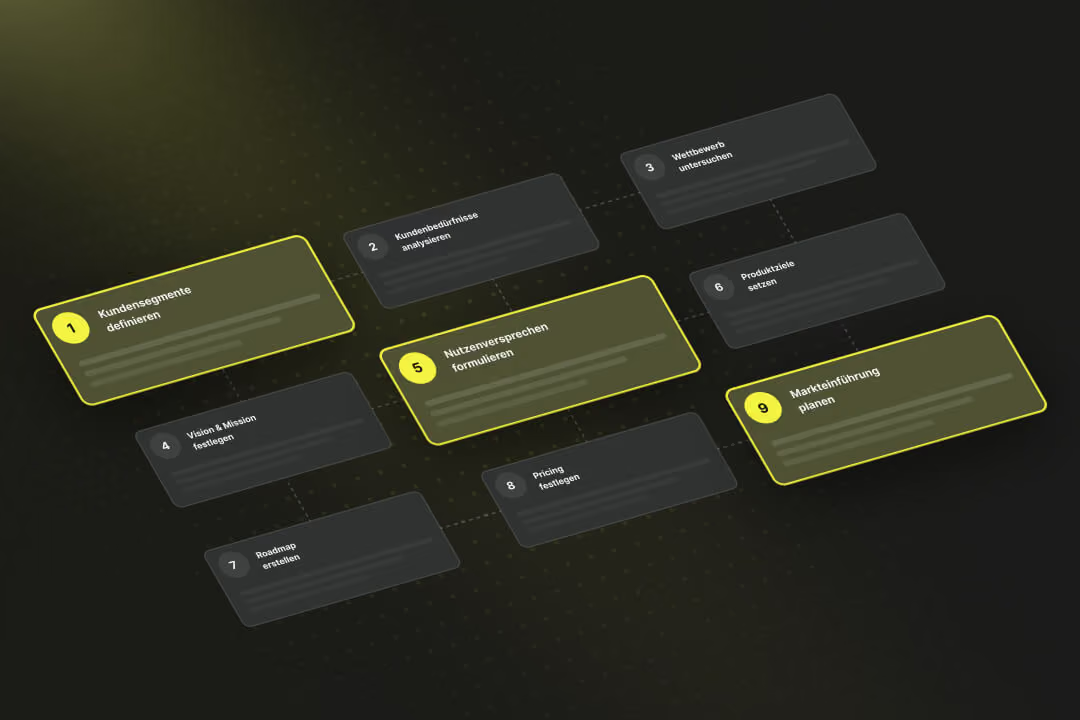
Your product strategy defines the specific value you create for different customer segments and how this value contributes to business success. It forms the foundation for all subsequent product decisions, from development and pricing to market launch.