Workflow automation: How to automate recurring processes
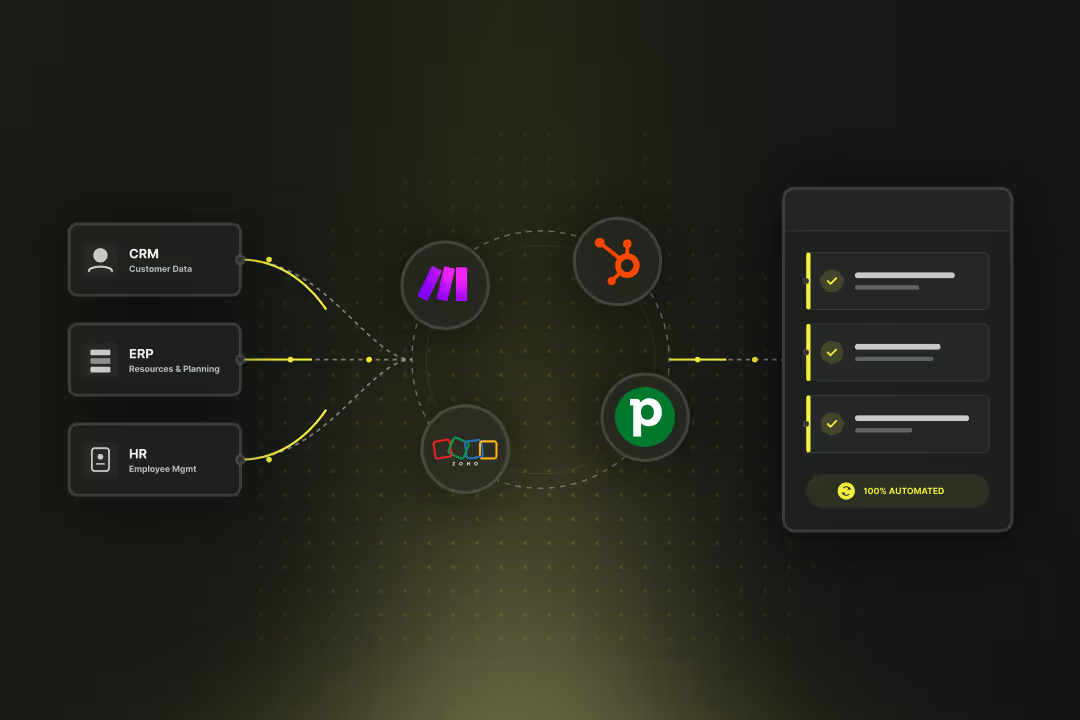
With workflow automation, you can control recurring tasks and processes with software and have them carried out automatically. Such automations connect multiple applications such as ERP, CRM or HR platforms and carry out actions independently.

Workflow automation: The most important things in brief
- Workflow automation automatically controls recurring processes according to fixed rules.
- Workflow automation reduces manual work and ensures consistent, comprehensible processes.
- Platforms such as HubSpot, Power Automate or n8n enable automation without programming.
- Processes with a clear sequence, measurable results and digital data sources are suitable for workflow automation.
- Data protection only applies to workflow automation when personal data is processed; purely internal workflows are harmless.
What is workflow automation?
Workflow automation is the use of software to Perform work steps automaticallyas soon as an event occurs or a condition is met. It replaces manual interventions with predefined processes that exchange data, trigger tasks or forward information.
A workflow consists of three basic elements:
- Trigger: An event, such as a new contact in CRM or a request via a form.
- conditions: Rules that determine when the next step follows.
- actions: Steps such as creating a record, sending a message, or changing a status.
With workflow automation, you can map processes that would otherwise run manually via email, spreadsheets or manual coordination. Examples include approvals, onboarding processes, or data reconciliation between applications.
Platforms such as HubSpot Workflows, Microsoft Power Automate, or n8n offer visual editors for this. It allows you to configure processes, connect systems via interfaces (APIs), and securely transfer data.
Which tasks and workflows can be automated?
Workflow automation takes over work steps that run according to fixed rules and can be clearly described. It reacts to events, checks conditions, and performs predefined actions.
- Data transfer: Information from a form is automatically entered into a CRM such as HubSpot.
- Task management: New support requests automatically generate tasks for the responsible team.
- Status changes: As soon as an offer is approved, the status in the system is adjusted and the next process step is started.
- notifications: When a contract expires, the system informs the responsible person via email or chat message.
- Document storage: Incoming invoices are checked, provided with metadata and stored in document management.
- Data cleansing: Outdated contacts in CRM are recognized and automatically marked.
Workflow automation carries out every step according to a clearly defined logic. As a result, your processes remain comprehensible and consistent, regardless of who is currently active in the company.
Workflow automation using HubSpot as an example
With HubSpot Can a Workflow automation directly in CRM set up and operate. It can control contacts, deals, tickets or user-defined objects and combines marketing, sales and service processes in one interface.
A workflow in HubSpot starts with choosing a data type, such as “Contact.” It is then determined which event starts the process, such as the submission of a form or the achievement of a specific lifecycle phase.
In the editor, you can then arrange actions, for example:
- send a welcome email
- assign the contact to a sales representative
- schedule a follow-up call,
- or update a record in another system.
Every workflow can be test and monitor in test mode. HubSpot creates logs that show when a data set entered the workflow and which actions were carried out.
By combining workflows with HubSpot's own tools, such as Operations Hub or Marketing Hub, data can also be cleaned, synchronized, or transferred to external applications via APIs.
Which systems offer workflow automation?
Workflow automation is supported by three types of systems:
- CRM systems such as HubSpot or Zoho automate internal processes, such as maintaining contacts or processing support tickets.
- cloud services Such as Microsoft Power Automate or Make connect tools from different providers and control processes via interfaces.
- Engines such as Camunda or Temporal, map complete business processes and enable technical traceability across all process steps.
CRM and marketing platforms:
- HubSpot: Workflows for contacts, deals, and tickets. Supports API connections, webhooks, and integrations via Operations Hub.
- Zoho CRM: Automations for sales processes, notifications, and task distribution.
- Pipedrive: Simple workflows for trigger action chains in CRM, expandable via Zapier or Make.
Cloud and low-code platforms:
- Microsoft Power Automate: Part of the Power Platform. Connect over 1,000 applications, including SharePoint, Teams, and Dynamics.
- Make: Visual scenarios for connecting multiple systems, suitable for API-based processes and data transfer.
- Zapier: Browser-based service for easy automation between web applications, often in marketing and reporting environments.
Open source and on-premises systems:
- N8n: Self-hostable software with graphical editor and numerous integrations. Also supports AI-based actions via external models.
- Camunda Platform 8: Engine for model-based process execution with BPMN and DMN support.
- Temporal.io: Platform for long-lasting workflows in distributed systems, often used in software and financial environments.
ERP and enterprise systems:
- SAP Build Process Automation: Workflows with direct integration with S/4HANA and support for user interactions.
- Odoo: Workflow components for ERP modules such as sales, purchasing and accounting, configurable via web interface.
Guide: How can workflow automation be introduced in a company?
You introduce workflow automation by checking your existing processes, selecting suitable processes and automating them step by step. In doing so, you set rules, connect the systems involved and monitor execution until the process works stably.
1. Record processes
Start by taking stock of your work processes. Record every step, from data collection to delivery of results. Describe in doing so
- Who performs the task
- Which system is being used,
- Which data is entered or passed on.
A process is suitable for workflow automation if
- the sequence of the work steps always remains the same
- decisions are based on clear rules (e.g. “if amount > CHF 5,000, then approval by management”)
- all necessary data is available digitally or can be digitally recorded.
Processes that depend heavily on individual assessment or require unstructured communication can only be automated to a limited extent.
2. Prioritize use cases
Evaluate your recorded processes according to three criteria:
- frequency: How often does the process occur? A rare process is rarely worthwhile for automation.
- Expense: How much time does it take per process?
- Susceptibility to errors: How often do manual errors occur?
Combine these criteria into a simple list of priorities. High-volume processes with clear decision logic are at the top. Create a short description for the top 3 of your list with input, output and desired results. This serves as the basis for technical implementation.
3. Select a platform for workflow automation
Choose a system that fits your existing IT environment and provides the necessary integrations.
- You can use HubSpot to automatically process contacts, deals, or tickets.
- Power Automate, Make or n8n are suitable for processes that connect multiple applications.
- If you want to map processes with high availability and clear traceability, Camunda or Temporal are suitable. They store process states permanently and document every step.
Test for every platform
- whether it offers interfaces (APIs) to your systems,
- How it manages user rights
- and whether adequate logging is possible.
These points are not fixed guidelines. They help you choose the system that meets your technical and organizational requirements.
Tip: Not sure whether HubSpot is suitable as a CRM for your automations and purposes? Here you can find out more about HubSpot Workflows, or book yours non-binding consultation, in which we check together whether HubSpot is suitable for your company.
{{fs-btn-cta}}
4. Model and test workflow
Create a simple flow chart before you start implementing. Describe,
- Which event starts the workflow
- Which conditions must be met
- Which actions will follow.
Then implement the workflow in the selected platform. Use test data to verify
- whether each branch of logic is triggered correctly
- whether data transfers are complete and error-free,
- and whether error messages appear meaningful.
In the test, define who is notified in the event of an error. Document every intermediate step so that you can make targeted adjustments later.
5. Approval and operation of workflow automation
First, activate the workflow to a limited extent, for example for an individual team or department. Monitor the initial runs closely. Pay attention to:
- unexpected delays,
- duplicate or missing data entries,
- faulty notifications.
Set up notifications or dashboards so you can see the status of ongoing workflows at any time. Only when the process is stable should you approve it for the entire process.
6. Monitoring and adjustment of workflow automation
Review your workflows regularly. Systems, interfaces, or data fields change over time. Carry out monthly or quarterly checks to ensure that all steps are still valid.
Document any changes and record when a workflow was adjusted and for what reason. When you launch new applications, immediately check whether existing workflows are affected. In this way, you avoid interruptions during operation.
What do I have to consider when it comes to data protection in workflow automation?
If you automate processes that relate exclusively to technical or internal processes without personal reference, such as status changes, system checks or notifications, there is no need for action in terms of data protection.
However, as soon as personal data is processed or passed on, the revised Data Protection Act (RevDSG) applies and, when processing data from EU citizens, the GDPR. In this case, you should check and document the following points:
- Check data: Record whether your workflow contains personal data, such as names, email addresses, or user IDs. Keep a list of processing activities for such processes.
- Document the location of the systems: Note where your data is stored and processed. Depending on the selected region, HubSpot stores customer data in the EU (Germany or Ireland); this is compatible with RevDSG. Power Automate runs in the region of your Microsoft environment. With n8n or Camunda, you can set the storage location yourself.
- Set access and logging: Use role-based access rights to control workflow changes. Activate logs that record the start, duration, and outcome of a process. If log export is not possible, forward events to a monitoring system via API or webhook.
- Check data transfer abroad: When data is transferred to countries without equivalent levels of data protection, standard contractual clauses or other guarantees are required. Document these agreements in your privacy documentation.
- Monitor AI features: If you're using AI-based steps, check the results regularly. Describe the purpose and functionality of AI and note which data is processed. Note that the EU AI Act has been imposing initial obligations for traceability and supervision since August 2025.
- Implement information security: Follow recognized safety standards such as ISO 27001:2022. Verify that your internal policies on access, backup, and emergency management comply with these requirements.
Implement workflow automation with a HubSpot partner
With workflow automation, you can give your team Take manual tasks out of hand and let your system do it automatically. However, the transition from simple automation to stable system integration is sometimes demanding.
If you want to build or expand your automations in HubSpot, you can start with a certified partner. In this way, you ensure that your workflow automations from the start safe and stable run.
Axisbits is an official HubSpot solution provider for Switzerland. We plan, develop and integrate your workflows so that they fit your existing processes and run stably over the long term.
- Setting up and optimizing workflows for marketing, sales and service
- Integrate external applications via HubSpot Operations Hub or API
- Data migration, testing, and ongoing support
- Training and technical support for your team
We at Axisbits have been working with HubSpot ourselves for years and are now official HubSpot partner for Switzerland. Want your team to be able to get started quickly with HubSpot? Then get in touch with us!
{{fs-btn-cta}}
Wir schaffen leistungsstarke Plattformen und Websites für Startups, Scale-Ups und KMUs, von Konzept bis Go-Live.
We are a partner and official HubSpot Solution Provider, set up your HubSpot setup and get your team up and running quickly!
Workflow automation — common questions and answers
Workflow automation describes individual, rule-based processes within a system. process automation comprises entire business processes, often with multiple systems and decision levels.
Ja, einfache Workflows lassen sich mit Plattformen wie HubSpot oder Make ohne Programmierung umsetzen. Für komplexe Abläufe oder Integrationen mit mehreren Systemen ist jedoch technisches Know-how erforderlich.
Basically, all structured data, such as customer data, orders or document status. It is important that they are available digitally and can be clearly assigned.
Cloud platforms such as HubSpot or Microsoft Power Automate work according to high security standards (e.g. ISO 27001). It is important that you correctly configure access rights and data flows.
You can connect other actions or systems via interfaces. Many platforms offer API modules or so-called “custom actions” for this purpose.
More articles
Digital transformation in SMEs is the answer to the acute shortage of skilled workers and your customers' increasing expectations for speed. You restructure your internal infrastructure so that as many processes as possible are automated and all information is available and synchronized for all departments.